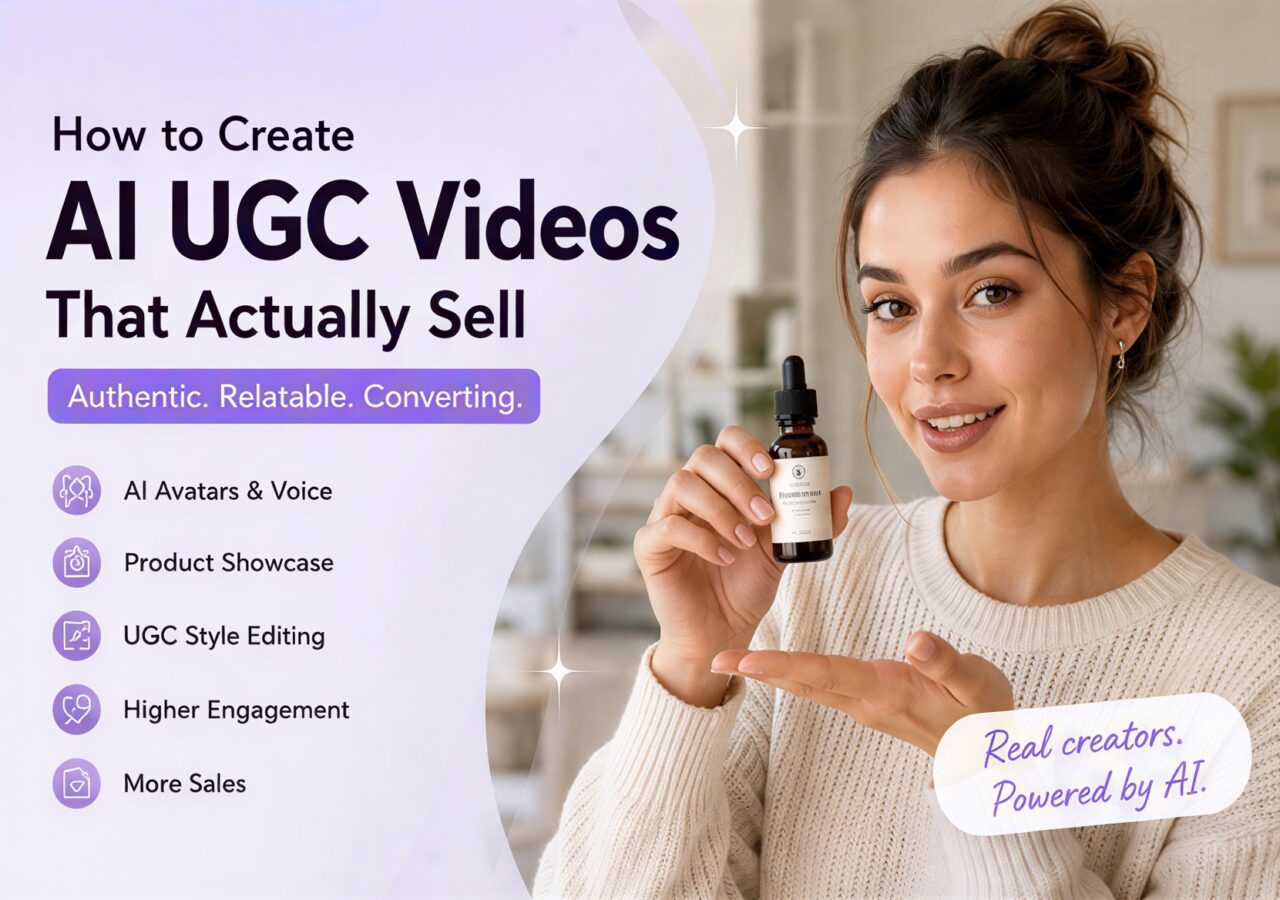
Learn how to create authentic AI UGC videos with realistic product demos, better prompts, and high-converting social media content.
A few years ago, creating a successful UGC ad meant chasing creators, waiting for product shipments, filming endless takes, and spending days editing short videos that might not even convert. Now, AI can generate realistic creators, product demos, voiceovers, and even fully edited TikTok-style ads in a fraction of the time. What once required an entire content team can now be done by a single person with the right workflow.
But here’s the uncomfortable truth: most AI-generated UGC videos still perform terribly.
Not because the technology is bad, but because the content feels fake. The creators look too perfect, the scripts sound like corporate marketing copy, and the videos feel more like polished commercials than authentic social content. On platforms like TikTok and Instagram Reels, audiences can recognize “ad energy” within seconds — and they scroll away just as quickly.
The best UGC videos don’t succeed because they have cinematic visuals or flawless editing. They succeed because they feel believable. They feel like something a real person would casually post after discovering a product they genuinely enjoy using. That sense of authenticity is exactly what makes viewers stop scrolling, keep watching, and eventually click “Buy Now.”
This is where AI becomes incredibly powerful — not as a replacement for human creativity, but as a tool for scaling relatable storytelling. When used correctly, AI can help you rapidly generate:
- realistic creator-style videos
- product demonstration clips
- emotional hooks
- POV lifestyle scenes
- social-media-native edits
- multiple ad variations for testing
without sacrificing authenticity.
In this guide, you’ll learn how to create AI UGC videos that actually look and feel real. We’ll cover how to structure high-converting UGC ads, how to use AI to showcase product details naturally, how to write prompts that generate believable content, and how to avoid the common mistakes that make AI videos feel robotic or overly commercial. Most importantly, you’ll learn practical, repeatable methods you can use to create scalable AI UGC content that drives real engagement and ecommerce sales.
Why AI UGC Videos Are Performing So Well Right Now
Traditional ads are losing effectiveness on platforms like TikTok, Instagram Reels, and YouTube Shorts.
Users scroll past anything that looks overly commercial.
But they still stop for:
- relatable stories
- creator experiences
- product demonstrations
- “honest reactions”
- casual smartphone videos
That’s exactly why UGC converts.
AI now allows brands and creators to generate this style of content at scale. Instead of waiting days for creators to deliver footage, you can rapidly test:
- multiple hooks
- different creator styles
- various product angles
- different emotions
- different audiences
This dramatically increases creative testing speed.
But faster production only matters if the videos still feel human.
What Actually Makes a UGC Video Convert
Before generating anything with AI, you need to understand why UGC works psychologically.
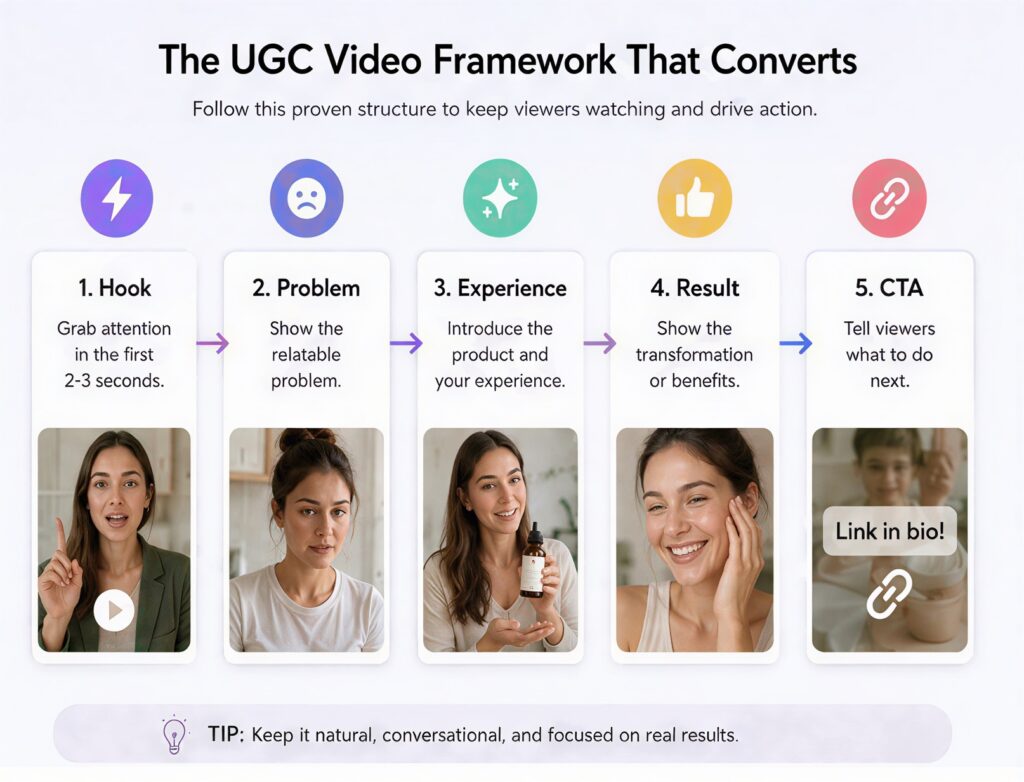
Most successful UGC videos follow this emotional structure:
Hook → Problem → Experience → Result → Recommendation
For example:
Hook
“I honestly thought this was another useless Amazon gadget…”
Problem
“My desk cables were always a complete mess.”
Experience
“I tried this organizer for three days…”
Result
“Now my entire setup looks clean.”
Recommendation
“I actually wish I bought this sooner.”
Notice something important:
The video is not aggressively selling.
Instead, it feels like:
- a personal experience
- a recommendation from a friend
- a relatable situation
That emotional realism is what drives conversions.
Step 1: Choose Products That Work Well for AI UGC
Not every product performs equally well in AI-generated UGC videos.
The best products usually have:
- visual appeal
- simple demonstrations
- emotional payoffs
- obvious before-and-after results
- strong lifestyle associations
Excellent categories include:
- skincare
- beauty tools
- desk gadgets
- home organization
- fashion accessories
- fitness items
- kitchen products
- AI apps
- productivity tools
These products work because viewers can quickly understand:
- what the product does
- how it fits into daily life
- why it solves a problem
Complicated products usually require more trust and credibility, which is harder for AI UGC to replicate.
Step 2: Write Scripts That Sound Like Real People
This is where most AI UGC fails instantly.
The script sounds like a commercial instead of a human experience.
Bad AI scripts usually sound like:
“This revolutionary product improves efficiency and convenience.”
Nobody talks like that on social media.
Real creators speak emotionally and casually.
Instead of:
“This skincare serum improves hydration.”
Say:
“My skin looked so dry before I started using this.”
Instead of:
“This desk light enhances productivity.”
Say:
“I didn’t realize how bad my desk lighting was until I bought this.”
The best-performing UGC scripts sound:
- conversational
- emotional
- slightly imperfect
- experience-driven
Not corporate.
Step 3: Use AI to Showcase Product Details Realistically
One major reason AI UGC videos fail is that the product never feels physically real.
People buy products when they can mentally imagine:
- touching them
- using them
- holding them
- fitting them into their lives
That means product presentation matters enormously.
Instead of only generating a talking avatar, you should also generate:
- close-up detail shots
- product interaction scenes
- POV usage footage
- texture-focused visuals
- lifestyle integration shots
The more tangible the product feels, the stronger the trust becomes.

How to Generate Better Product Detail Shots With AI
Product detail shots are what make AI UGC feel premium and believable.
Instead of generic “product photography,” focus on:
- realism
- interaction
- texture
- movement
- natural environments
Here are the most useful AI-generated product shot types.
Close-Up Texture Shots
These shots help viewers feel:
- material quality
- surface texture
- reflections
- premium craftsmanship
Example prompt:
cinematic macro shot of luxury skincare bottle on marble countertop, soft natural morning lighting, realistic reflections, shallow depth of field, handheld smartphone aesthetic, ultra detailed product texture, authentic UGC style
This works because it combines:
- cinematic quality
- realistic lighting
- social-media-style framing
instead of feeling like a sterile catalog image.
Hand Interaction Shots
Products instantly feel more trustworthy when human interaction is visible.
Examples include:
- opening packaging
- holding the product
- pressing buttons
- applying skincare
- pouring drinks
- demonstrating features
Example prompt:
realistic female hands opening minimalist skincare packaging, natural indoor lighting, authentic TikTok UGC aesthetic, casual handheld camera movement, soft shadows, relatable social media style
The important detail here is the phrase:
“casual handheld camera movement”
That small detail dramatically improves realism.
POV Product Usage Shots
POV shots are incredibly effective because viewers subconsciously imagine themselves using the product.
Examples:
- applying makeup
- organizing a desk
- making coffee
- testing gadgets
- scrolling through an app
Example prompt:
POV shot using a portable blender in a modern kitchen, morning sunlight, realistic lifestyle environment, handheld smartphone camera, casual creator aesthetic, natural movement, relatable social media vibe
These prompts create immersion instead of just “displaying a product.”
Before-and-After Visuals
Transformation content performs extremely well on short-form platforms.
Examples:
- messy desk → organized workspace
- dull skin → glowing skin
- cluttered kitchen → clean setup
- dark room → aesthetic lighting
Transformation visuals naturally increase:
- watch time
- curiosity
- emotional engagement
because viewers want to see the outcome.
How to Write High-Converting AI UGC Prompts
Most beginners write prompts that are too simple.
Bad prompt:
girl reviewing skincare product
This lacks:
- environment
- camera behavior
- emotional tone
- realism
- platform style
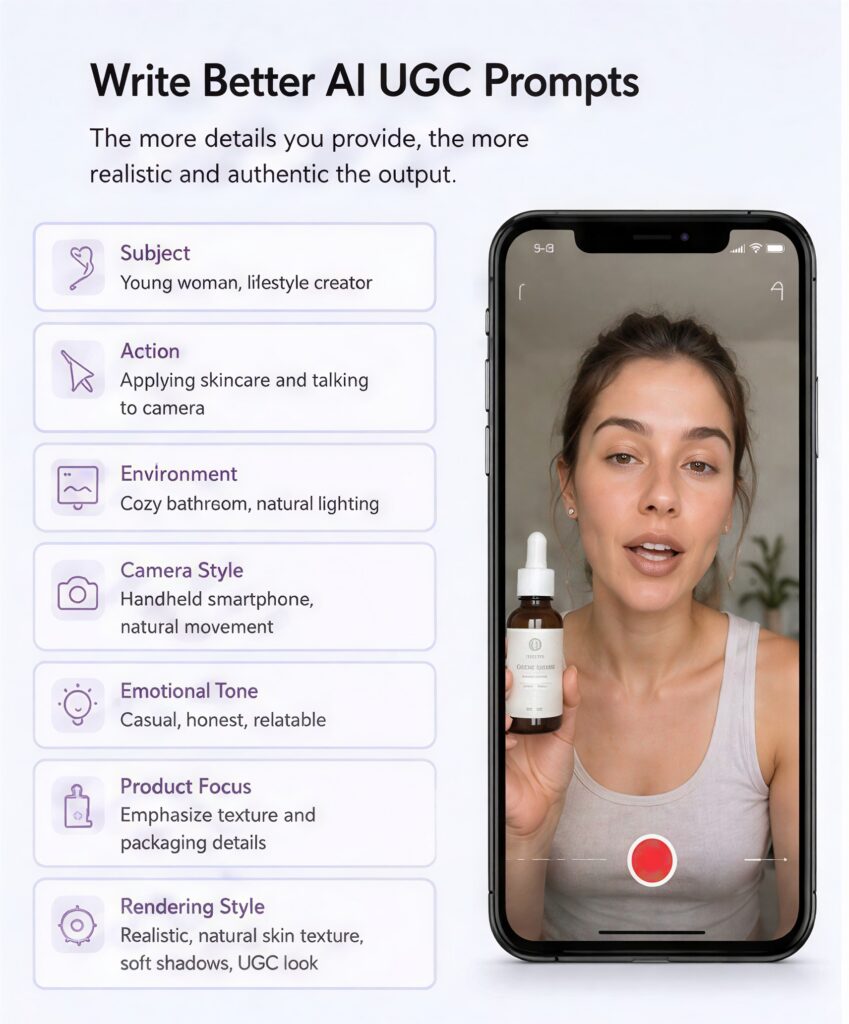
Good AI prompts should describe:
- who is in the video
- what they are doing
- how the camera behaves
- the emotional atmosphere
- the lighting style
- the social platform aesthetic
The goal is to direct the AI like a content creator, not like a product catalog photographer.
A Better AI UGC Prompt Structure
A strong AI UGC prompt usually contains seven parts.
1. Subject Description
Describe the creator naturally.
Example:
Young adult female lifestyle creator
Instead of:
perfect model
UGC works better when the creator feels relatable.
2. Action
Describe realistic behavior.
Example:
casually applying skincare while talking to the camera
Natural activity makes scenes feel authentic.
3. Environment
The background heavily affects realism.
Example:
cozy apartment bathroom with natural morning light
Avoid:
- luxury studio environments
- unrealistic commercial sets
4. Camera Style
This is one of the most important sections.
Example:
handheld smartphone camera, slight natural movement, authentic TikTok framing
Without camera behavior, AI videos often feel too artificial.
5. Emotional Tone
Describe how the video should emotionally feel.
Example:
conversational, relatable, trustworthy, casual
This changes the entire vibe of the output.
6. Product Focus
Tell the AI what matters visually.
Example:
emphasize creamy skincare texture and premium packaging details
This improves product clarity dramatically.
7. Rendering Style
Keep realism balanced.
Example:
realistic skin texture, cinematic natural lighting, shallow depth of field, realistic imperfections, social-media-native aesthetic
Avoid overly polished rendering.
High-Quality AI UGC Prompt Examples
Now let's combine everything into practical prompts you can reuse directly.
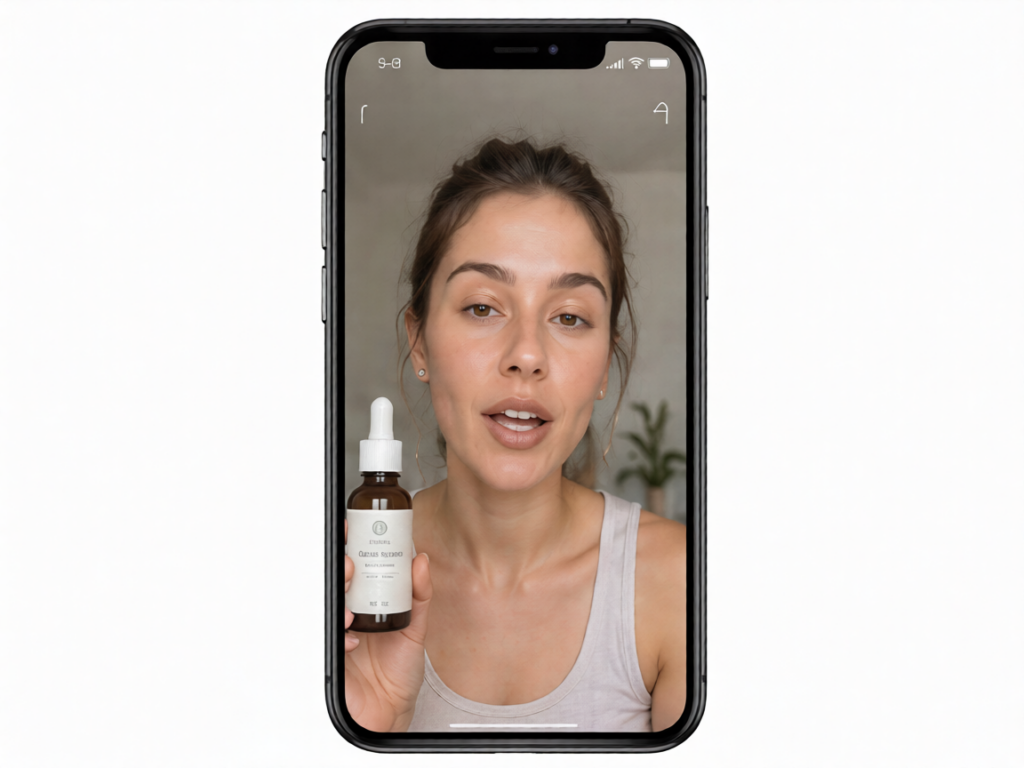
realistic young woman filming selfie-style skincare review in bathroom mirror, natural morning lighting, handheld smartphone camera with slight movement, casually applying serum while speaking naturally, authentic TikTok UGC aesthetic, realistic skin texture, relaxed emotional expression, soft shadows, premium skincare bottle visible in foreground, relatable and trustworthy atmosphere.close-up hands using portable desk gadget in realistic workspace setup, natural indoor lighting, casual social media ad style, handheld smartphone perspective, satisfying interaction shots, realistic reflections and textures, authentic creator content aesthetic, fast-paced TikTok style visuals.female lifestyle creator filming mirror outfit video in cozy apartment bedroom, realistic fabric movement, smartphone vlog framing, natural indoor lighting, casual confidence, relatable Instagram Reels aesthetic, authentic UGC fashion content style.How to Make AI Videos Feel Less “AI”
Even high-quality AI videos can still feel emotionally fake if everything looks too perfect.
To improve realism:
- allow slight camera shake
- keep lighting imperfect
- use natural pauses
- avoid exaggerated reactions
- add subtle facial movement
- keep environments slightly messy
- avoid excessive beauty filtering
Ironically, realism often comes from controlled imperfection.
The goal is:
believable content
not:
flawless rendering
Editing Techniques That Increase Watch Time
Editing is what transforms decent AI clips into high-performing UGC ads.
Good UGC editing usually:
- changes visuals every 1–3 seconds
- uses subtitles aggressively
- zooms into important moments
- removes dead pauses quickly
- emphasizes emotional statements
For example:
“I genuinely didn’t expect this to work…”
should visually feel important.
You can emphasize it with:
- zoom-ins
- punch cuts
- subtitle emphasis
- reaction shots
- fast transitions
Short-form platforms reward movement and pacing.
Static videos usually lose retention quickly.
Common Mistakes That Make AI UGC Fail
Many creators accidentally destroy realism by overproducing the content.
The biggest mistakes include:
Overly Cinematic Lighting
Real UGC rarely looks like a luxury commercial.
Robotic Voice Delivery
Perfect pacing feels unnatural.
Corporate Language
Nobody talks like a product brochure.
No Product Interaction
If users never see the product being used, trust drops dramatically.
Unrealistic Facial Expressions
Overacting instantly breaks immersion.
Authenticity always outperforms artificial perfection.
A Repeatable AI UGC Workflow Anyone Can Follow
Once you understand the structure, AI UGC becomes much easier to scale.
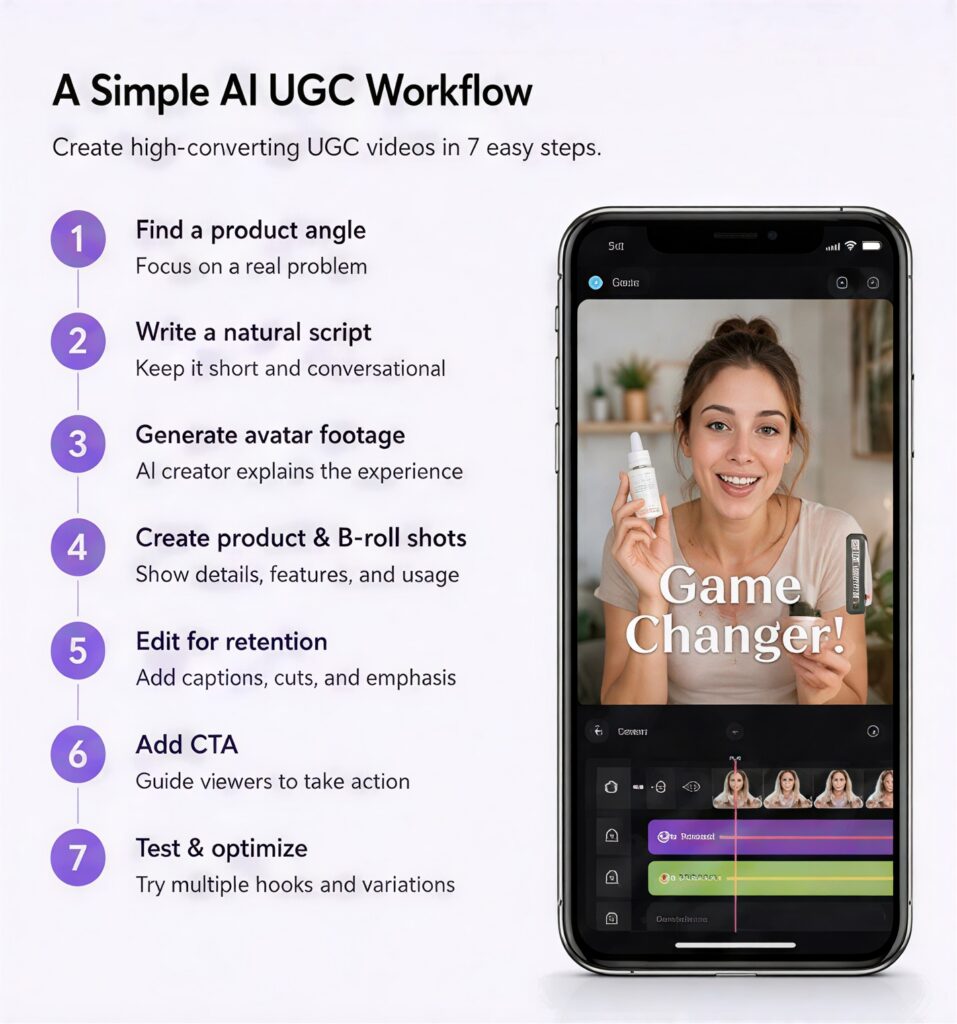
A practical workflow looks like this:
- Identify a relatable product problem
- Write an emotional hook
- Generate realistic avatar footage
- Create product detail shots with AI
- Add POV and interaction scenes
- Edit for fast pacing and retention
- Test multiple hook variations
- Analyze which version performs best
The biggest advantage of AI is speed.
Instead of betting everything on one expensive ad, you can test dozens of creative angles rapidly.
Authentic AI UGC Is Becoming the New E-commerce Advantage
The future of e-commerce advertising is not about making videos look more artificial or overly polished — it’s about making them feel more human. AI gives creators and brands the ability to rapidly produce relatable, product-focused UGC content at scale, but the real success still comes from authentic storytelling, natural product interaction, and platform-native creativity. When your videos feel believable instead of overly commercial, AI stops being just a production shortcut and becomes a powerful tool for driving real engagement, trust, and conversions.