
Video watermarks can be frustrating. Whether you're dealing with old branded content, downloaded stock footage, social media logos, timestamps, subtitles, or unwanted text overlays, removing watermarks manually can be time-consuming and often damages the video quality.
Fortunately, modern AI-powered video watermark removers have become remarkably effective. Instead of simply blurring the watermark area, advanced tools can analyze surrounding pixels, reconstruct missing content, and restore the original appearance of the video with minimal artifacts.
In this guide, we'll compare the Top 6 Video Watermark Remover tools in 2026, including their features, pricing models, supported formats, AI capabilities, and overall performance. Since many users care not only about quality but also about how much each tool actually costs during processing, we’ll also explain whether each platform charges per second, per task, by credits, or by subscription.
Quick Comparison: Best Video Watermark Removers in 2026
| Tool | AI Watermark Removal | Max Resolution | Supported Formats | Supported Video Length | Long Video Support | Free Plan | Starting Price |
|---|---|---|---|---|---|---|---|
| LinoCut AI | ✅ Advanced AI Reconstruction | 4K | MP4, MOV, WEBM | Up to 50MB | ✅ Yes | ✅ 200 Free Credits | Credit-Based |
| HitPaw Watermark Remover | ✅ | 4K | MP4, MOV, AVI | Limited | ⚠️ Limited | ❌ | $29.99/month |
| AniEraser | ✅ | 1080P | MP4, MOV | Maximum 10 min | ✅ | Limited | $19.99/month |
| Media.io Video Eraser | ✅ | 1080P | MP4, MOV | Maximum 10 min | ⚠️ | Limited | $9.99/month |
| Apowersoft Watermark Remover | Partial | 1080P | MP4, AVI, MOV | Limited | ⚠️ | ❌ | $19.95/month |
| Unwatermark Watermark Remover | Advanced AI Reconstruction | 4K | MP4, AVI, MOV,MKV,WEBM | Up to 100MB | ✅ Yes | ✅ 30 Free Credits | Credit-Based |
Best AI Video Watermark Remover: LinoCut AI
When it comes to balancing quality, speed, flexibility, and affordability, LinoCut AI Video Watermark Remover stands out as one of the most advanced solutions available in 2026.
Unlike traditional removers that simply blur the watermark area, LinoCut uses AI-powered pixel-level analysis and intelligent reconstruction technology to restore the original video content while preserving sharp details.
Pixel-Level Watermark Detection
LinoCut automatically identifies watermark regions with high precision.
Its AI analyzes:
- Watermark opacity
- Motion changes
- Background textures
- Frame-by-frame consistency
This allows the system to accurately isolate watermarks without affecting nearby content.
Advanced AI Video Reconstruction
After detecting the watermark, LinoCut doesn't simply cover it.
Instead, it:
- Examines surrounding pixels
- Predicts missing visual information
- Rebuilds the removed area
- Preserves scene continuity
The result looks significantly more natural than traditional blur-based approaches.
Protects Video Subjects and Text
Many watermark removers accidentally damage:
- Faces
- Products
- Captions
- Logos that should remain
LinoCut's reconstruction engine is specifically designed to preserve important foreground objects and readable text while only removing the selected watermark area.
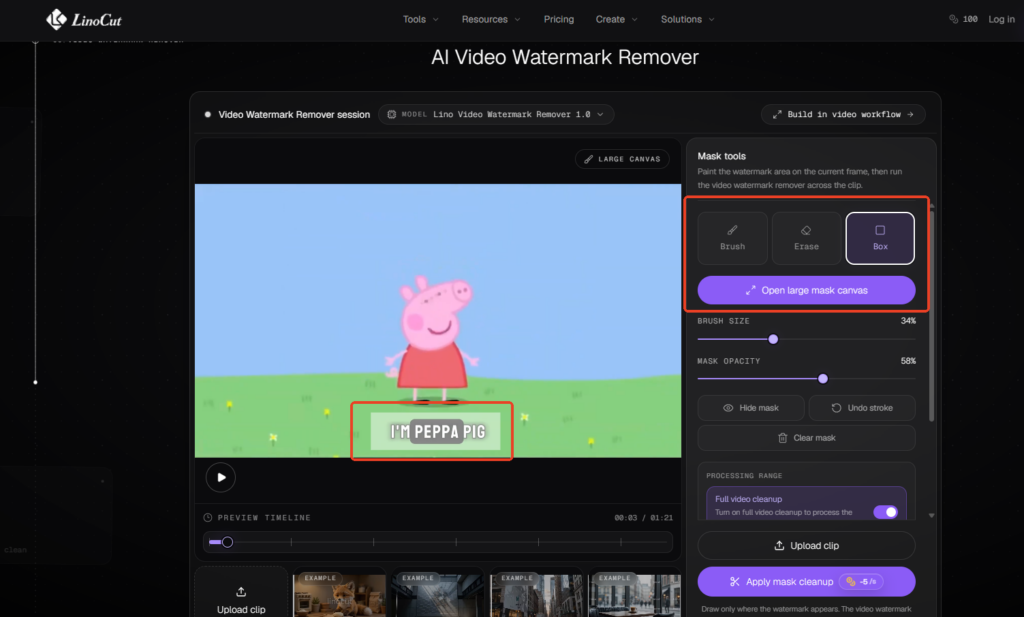
Flexible Manual Selection Tools
For complex watermarks, users can manually define removal regions using:
Brush Tool
Perfect for:
- Irregular watermarks
- Moving logos
- Complex overlays
Features:
- Adjustable brush size
- Fine-grained masking
Box Selection Tool
Ideal for:
- Static logos
- Corner watermarks
- TV channel marks
Adjustable Mask Transparency
Users can fine-tune mask visibility before processing.
Benefits include:
- Better accuracy
- More control
- Easier previewing
Fast Processing Speed
LinoCut processes videos significantly faster than many desktop alternatives.
Since everything runs in the cloud:
- No software installation
- No GPU requirements
- Fast rendering pipeline
Supports Long Videos
Many online video watermark removers limit video duration.
LinoCut supports:
- Long-form videos
- YouTube videos
- Tutorials
- Courses
- Interviews
- Vlogs
Supported Video Formats
LinoCut currently supports:
- MP4
- MOV
- WEBM
Upload Limits
Users can upload:
- Videos up to 50MB
- Resolution up to 1080P
This covers most social media, marketing, educational, and creator content.
Generous Free Credits
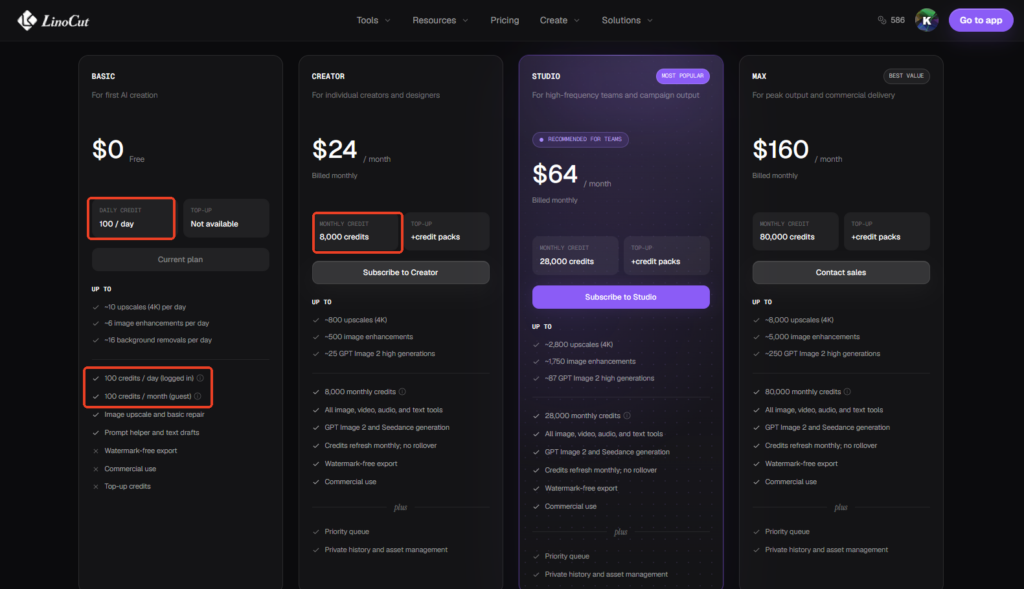
LinoCut offers:
- 100 free credits every day
- Additional 100 free credits every month
Since video watermark removal only consumes:
5 credits per second
Most users can remove watermarks from multiple videos without paying anything.
Pros
✅ Excellent reconstruction quality
✅ Pixel-level AI detection
✅ Preserves subjects and text
✅ Brush & box selection tools
✅ Adjustable mask transparency
✅ Long video support
✅ MP4, MOV, WEBM support
✅ Fast cloud processing
✅ 200 free credits available
Cons
❌ Current upload limit is 50MB
❌ Maximum output resolution is 1080P
HitPaw Video Watermark Remover
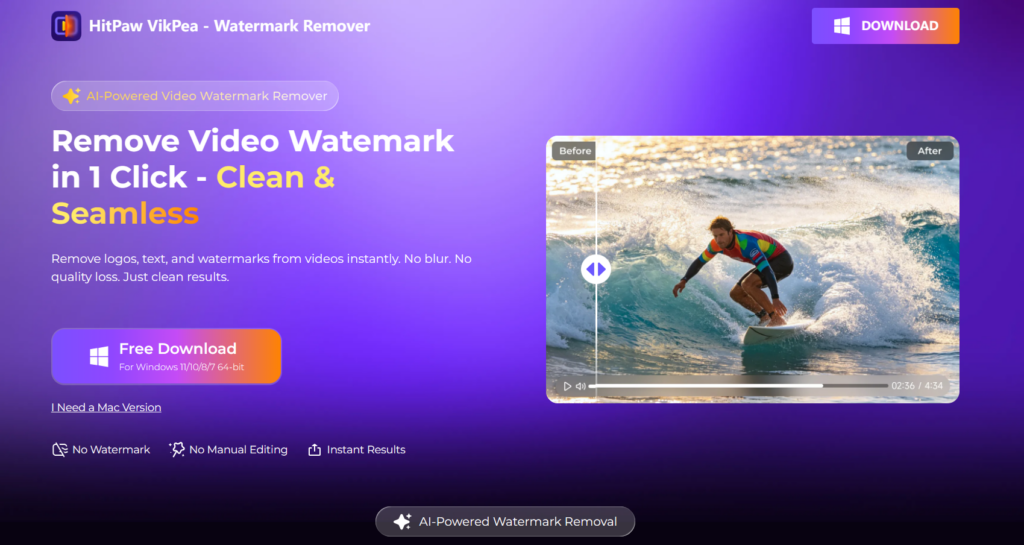
HitPaw remains one of the most popular desktop-based watermark removal solutions.
It is a good choice for users who prefer a traditional installed application and want a familiar editing workflow. Compared with cloud-based tools, HitPaw is more software-oriented and less transparent in terms of per-video credit consumption because it does not use a public per-second credit model.
Pros
✅ Supports multiple removal modes
✅ Batch processing
✅ User-friendly interface
✅ 4K support
Cons
❌ Requires software installation
❌ Slower rendering speed
❌ Subscription cost is relatively high
❌ Watermark reconstruction quality varies
Charging Policy
HitPaw is subscription-based, not per-second credit-based.
That means:
- You pay monthly or yearly
- Processing is generally covered by the active license
- It does not publicly advertise a fixed “X credits per second” model
- In practice, the cost is tied to your subscription period rather than the exact length of each video
For users who process videos frequently, this can be convenient because you do not need to calculate credits for every clip. However, if you only need to remove a watermark from a short video once in a while, the subscription model may be less cost-efficient than a pay-as-you-go credit system.
Pricing
- Monthly: $29.99
- Yearly: $109.99
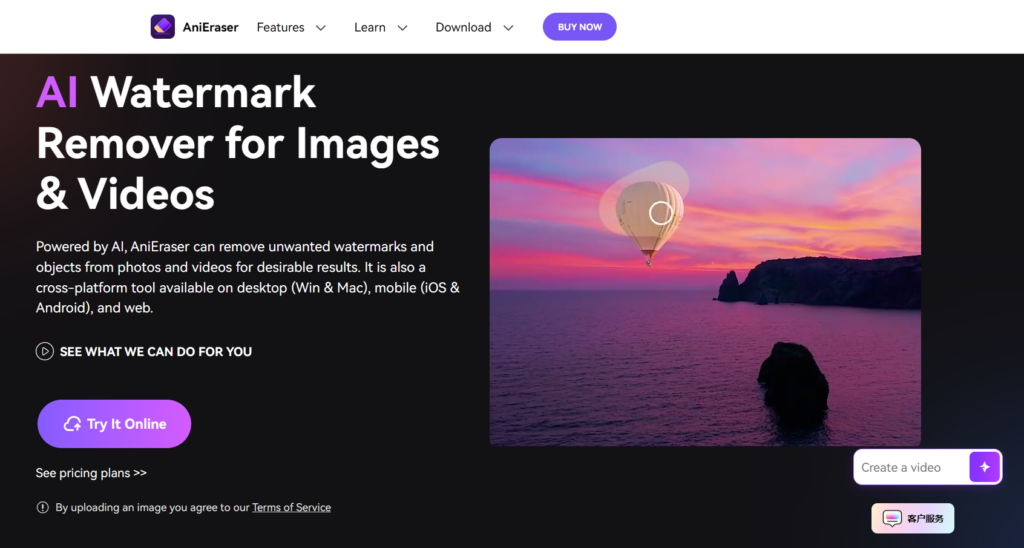
AniEraser AI Video Watermark Remover
AniEraser has become increasingly popular among content creators.
It offers a more modern AI-assisted workflow than older desktop tools, and it is often chosen by users who want a balance between simplicity and decent reconstruction quality.
Pros
✅ AI-powered removal
✅ Good object removal capabilities
✅ Mobile app available
Cons
❌ Credit-based pricing
❌ Can struggle with moving backgrounds
❌ Limited free usage
Charging Policy
AniEraser uses a credit-based model, but it is not presented as a simple fixed per-second public rate like LinoCut.
In practice:
- The system deducts credits based on the processing task
- Longer videos generally consume more credits
- The exact deduction is usually shown before export or processing
- It is better described as video-length-based credit consumption rather than a strict “X credits per second” rule
So if you are processing a short clip, the credit cost is usually lower. If you are removing a watermark from a longer video, the credit usage increases accordingly.
Pricing
- Monthly: $19.99
- Annual: $59.99
Media.io Video Eraser
Media.io offers a fully online solution.
It is designed for users who want a browser-based workflow without installing desktop software. Its interface is simple, but its pricing and processing model are more aligned with task-based or length-based credit usage than with a transparent per-second formula.
Pros
✅ Browser-based
✅ Simple interface
✅ Fast uploads
Cons
❌ Slow video upload and processing speed
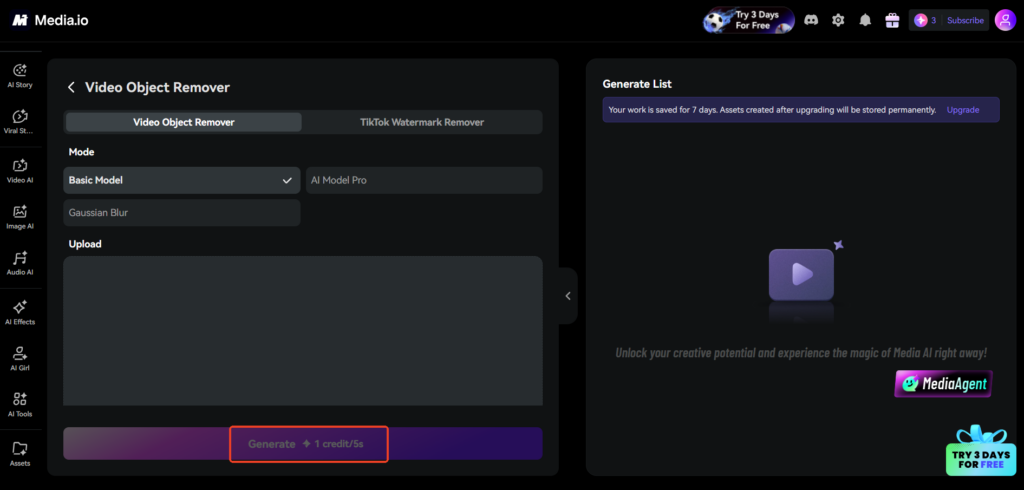
❌ Only 3 free credits per day
❌ Quality degradation on difficult scenes
❌ Fewer manual controls
Charging Policy
Media.io is also credit-based, but it does not clearly position itself as a fixed per-second billing tool.
Instead:
- You typically consume credits when you process or export a video
- The amount deducted depends on the video length and sometimes the output settings
- Short clips usually cost less than long clips
- The exact credit requirement is generally displayed before final processing
In other words, Media.io is closer to a task-based AI credit system than a strict “1 credits /5s” model.
Pricing
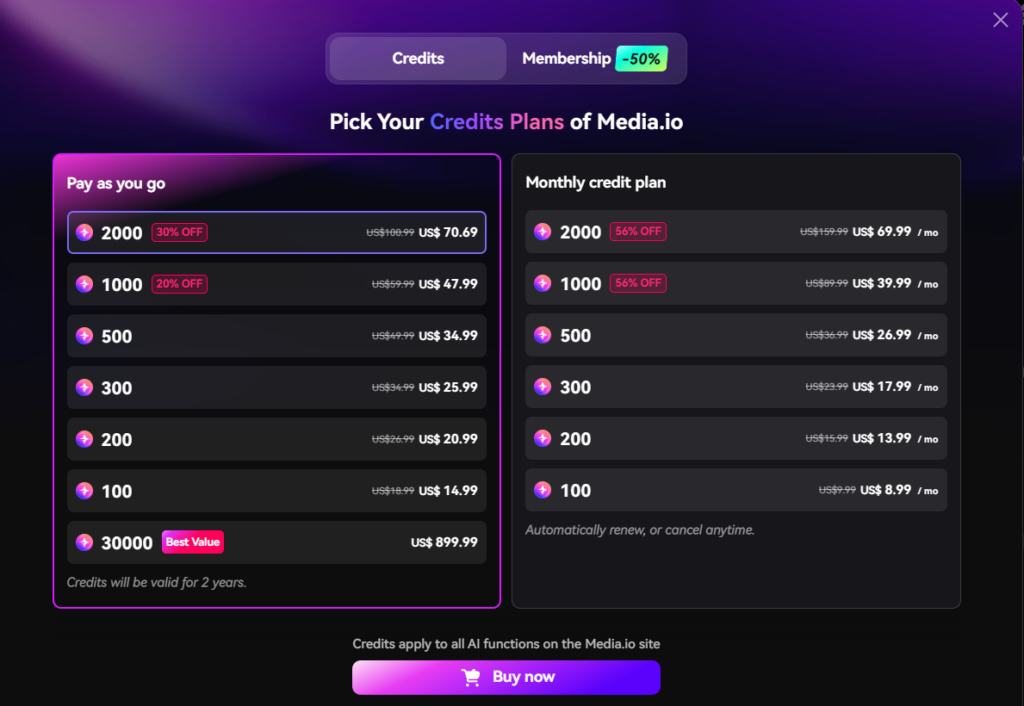
- Monthly: $13.99
- Annual: $39.99
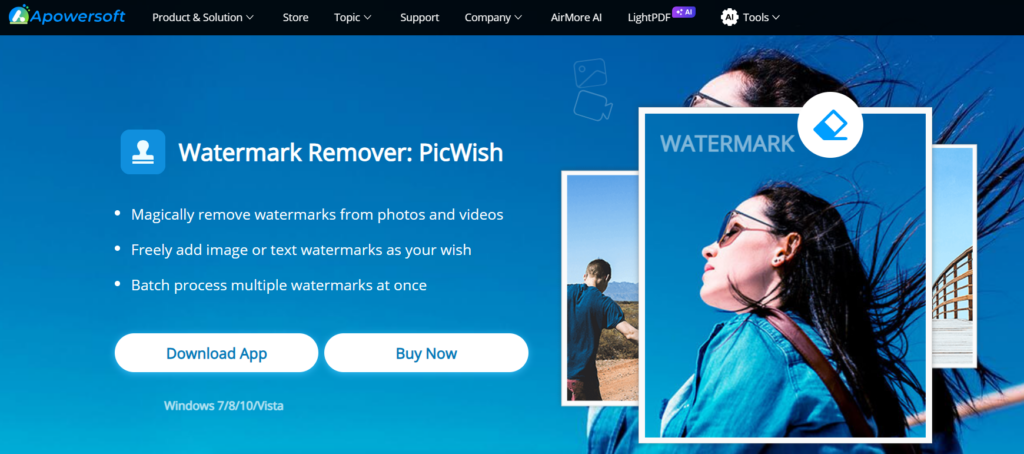
Apowersoft Watermark Remover
Apowersoft focuses on simplicity.
It is a straightforward desktop solution for users who want a familiar interface and do not need advanced AI reconstruction. Compared with newer AI tools, its pricing is easier to understand because it is not based on per-second credits.
Pros
✅ Easy to use
✅ Supports image and video watermark removal
✅ Desktop software
Cons
❌ Less advanced AI
❌ Blur artifacts are common
❌ Slower processing
Charging Policy
Apowersoft uses a subscription/license-based model, not a per-second credit system.
That means:
- You pay for access to the software
- The cost is tied to the subscription period
- It does not publicly charge by “seconds of video”
- You generally do not need to calculate credits before processing
This makes it simple from a billing perspective, but less flexible than pay-as-you-go tools if you only need to process a few short clips.
Pricing
- Monthly: $19.95
- Annual: $39.95
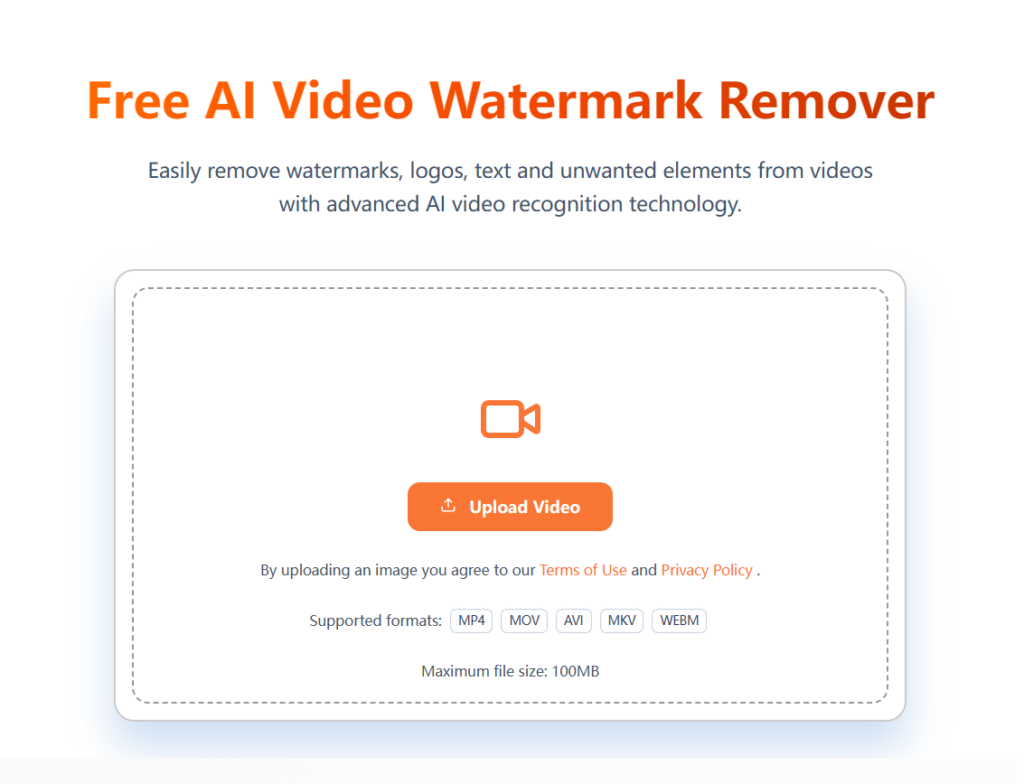
Unwatermark Free AI Video Watermark remover
Unwatermark Free AI Video Watermark remover is a newer AI-powered watermark removal tool designed for users who want a free or low-cost way to remove logos, text overlays, and other unwanted marks from videos.
It uses AI reconstruction rather than traditional blur-based removal, making it a better fit for modern video content.
Pros
✅ Free AI watermark removal options
✅ Works online in a simple browser-based workflow
✅ Designed for logos, text overlays, and other common video marks
Cons
❌ Free usage may come with limits
❌ Output quality can vary on complex scenes
❌ May not be ideal for very long videos
Charging Policy
Unwatermark Free AI Video Watermark remover uses a freemium model.
That means:
- You can start using it for free
- Advanced features or higher usage limits may require payment
- It does not rely on a lifetime license model
- It may use credits, usage caps, or premium plans depending on the feature set
This makes it appealing for users who want to try AI watermark removal without paying upfront, although heavy users may eventually need a paid plan.
Pricing
- Free Plan Available
- Premium pricing may vary depending on usage and features

Video Watermark Remover Pricing Comparison
| Tool | Charging Model | Free Plan | Monthly Price |
|---|---|---|---|
| LinoCut AI | 5 credits per second | 200 Free Credits | Credit As You Go |
| HitPaw | Subscription-based, not per-second credits | No | $29.99 |
| AniEraser | Credit-based, deducted by task/video length | Limited | $19.99 |
| Media.io | Credit-based, deducted by task/video length | Limited | $13.99/17.99/26.99 |
| Apowersoft | Subscription/license-based, not per-second | No | $19.95 |
| Unwatermark | Based on the video length | 30 Free Credits | Credit/Subscription |
How to Choose the Best Video Watermark Remover in 2026
Before selecting a tool, consider:
Video Quality Preservation
Look for AI reconstruction rather than simple blur-based removal.
Long Video Support
Many tools impose strict duration limits.
Supported Formats
Ensure compatibility with:
- MP4
- MOV
- WEBM
Manual Selection Options
Brush tools and box selection improve accuracy significantly.
Cost Efficiency
Consider whether free credits are sufficient for your workload.
If you want the most predictable billing model, a tool like LinoCut AI is easier to estimate because it clearly states 5 credits per second. If you prefer a subscription, tools like HitPaw or Apowersoft may be simpler. If you only need occasional processing, a credit-based or pay-as-you-go model may be more economical.
Why LinoCut AI Is the Best Video Watermark Remover for Most Users
For creators, marketers, educators, and businesses, LinoCut delivers one of the best balances between quality, flexibility, and affordability.
Its AI-driven reconstruction engine can intelligently rebuild watermark regions while preserving subjects, text, and fine details.
Combined with:
- Pixel-level watermark detection
- Brush and box selection tools
- Adjustable mask transparency
- Long video support
- MP4, MOV, WEBM compatibility
- Fast cloud processing
- 200 free credits
LinoCut AI stands out as one of the most practical and powerful video watermark removers available in 2026.
Most importantly, its billing is easy to understand:
- 5 credits per second
- 100 free credits daily
- 100 extra free credits monthly
That makes it one of the clearest options for users who want to know exactly how much a video will cost before they process it.
If you're looking for a fast, accurate, and beginner-friendly way to remove watermarks from videos online, LinoCut AI is an excellent place to start.
FAQs About Video Watermark Removers
What is the best video watermark remover in 2026?
LinoCut AI is among the best options thanks to its pixel-level AI detection, advanced reconstruction technology, long-video support, and generous free credits.
Can AI remove watermarks from videos without blurring?
Yes. Modern AI tools such as LinoCut analyze surrounding frames and reconstruct missing pixels instead of applying simple blur effects.
Is there a free video watermark remover?
Yes. LinoCut AI provides 100 free credits daily plus 100 additional credits every month, allowing many users to remove video watermarks without paying.
What video formats are supported by LinoCut AI?
LinoCut AI Video Watermark Remover currently supports MP4, MOV, and WEBM videos.
Does removing a watermark reduce video quality?
High-quality AI tools minimize quality loss by reconstructing the removed area rather than covering it with blur or mosaics.