A graduation photo is often one of the most valuable images you'll ever own.
Unlike a casual selfie or a vacation snapshot, a graduation photo captures years of hard work, friendships, achievements, and unforgettable memories in a single frame. Whether it's a class photo with dozens of classmates, a university commencement group shot, or a graduation ceremony picture with family and friends, these images become treasured keepsakes that people revisit for years—sometimes even decades.
However, there's one common problem many graduates encounter when looking back at their photos: the image quality simply isn't good enough.It's quite difficult to upscale graduation photo.
At first glance, the photo may appear perfectly fine. But the moment you zoom in to find yourself or a friend, the issues become obvious. Faces look blurry, details disappear, and people standing in the back rows become difficult to recognize. If the image was shared through social media or messaging apps, the quality may be even worse due to compression. Older graduation photos often suffer from low resolution because they were taken with outdated cameras or scanned from printed copies.
Naturally, many people turn to AI image upscalers to solve this problem. The goal sounds simple: enlarge the image, improve the clarity, and make every face easier to see.
Unfortunately, graduation photos are among the most difficult types of images to upscale correctly.
Unlike a portrait that contains only one subject, a graduation photo may contain dozens or even hundreds of people. Every face matters. Every person represents a memory. If an AI tool changes facial features, introduces distortions, or makes some individuals look different from how they originally appeared, the result can feel disappointing—even if the image is technically sharper.
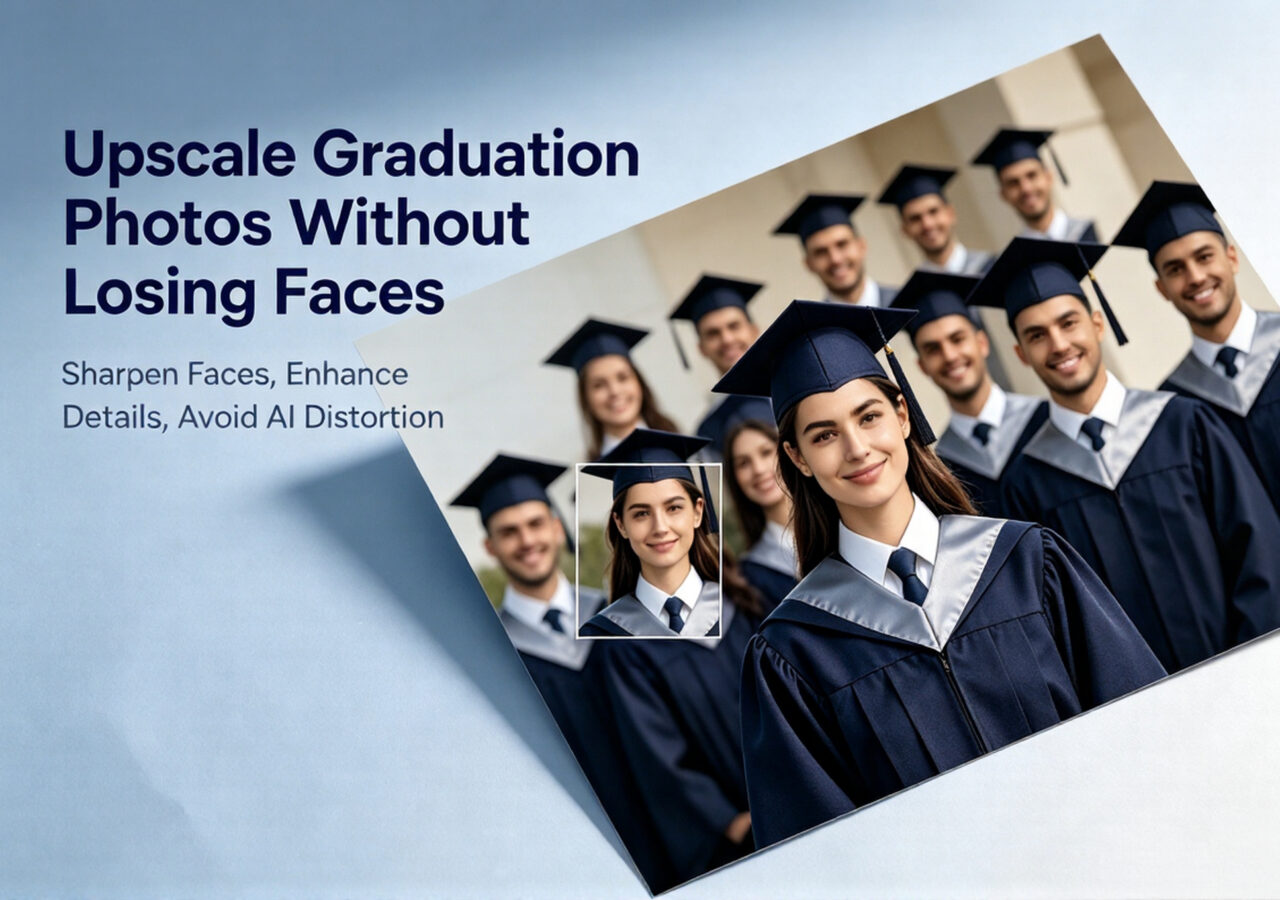
This guide explores why graduation photos are so challenging to enhance, the common mistakes made by traditional AI upscalers, and how modern technologies like Linocut's Clarity Model help preserve facial identity while delivering significantly improved image quality.
Why Graduation Photos Often Look Blurry
Before discussing solutions, it's important to understand why graduation photos frequently suffer from poor image quality in the first place.
Many of the issues people notice years later actually originate during the moment the photo was captured.
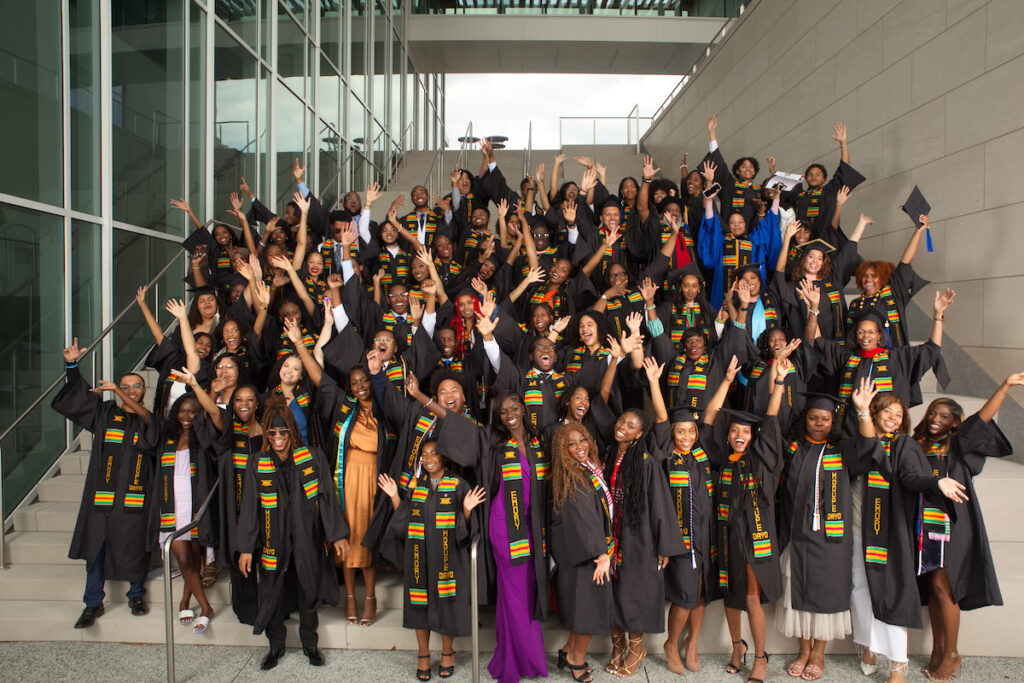
Large Groups Mean Tiny Faces
One of the biggest challenges with graduation photography is the number of people included in a single frame.
A typical portrait focuses on one person. A family photo may contain four or five individuals. A graduation photo, however, can include an entire class.
To fit everyone into the image, photographers must position subjects farther away from the camera. As a result, each face occupies only a small portion of the final image.
Even when the original photo appears sharp overall, individual faces often contain limited detail. When viewers zoom in later, they discover that facial features become blurry or pixelated because there simply wasn't enough visual information captured at the individual level.
The larger the group, the greater this challenge becomes.
Camera Limitations Affect Image Quality
Not every graduation photo is captured with professional equipment.
Many photos are taken using:
- Smartphones
- Consumer cameras
- Older digital cameras
- School photography equipment
While these devices may perform well under ideal conditions, large group photography places unique demands on image quality.
Factors such as distance, lighting, lens quality, and sensor resolution all influence the final result.
Photos captured years ago are especially vulnerable because camera technology has improved dramatically over the past decade. An image that looked sharp on a small computer monitor in 2012 may appear noticeably soft on today's ultra-high-resolution displays.
Social Media Compression Reduces Detail
Many graduates no longer have access to their original photos.
Instead, they may only possess versions downloaded from:
- Messaging apps
- School websites
- Email attachments
These platforms often compress images to reduce file size.
Compression removes visual information from the image, making it easier to share but reducing overall quality.
Common symptoms include:
- Blurry faces
- Loss of fine detail
- Color degradation
- Compression artifacts
- Reduced sharpness
By the time the image reaches the user, it may have gone through multiple rounds of compression, resulting in significant quality loss.
Cropping Makes Resolution Problems Worse
Another common situation occurs when graduates crop a large group photo to focus on a smaller section.
For example, someone might crop a class photo to isolate themselves and a few friends.
While this seems harmless, cropping dramatically reduces the number of pixels available.
A face that already occupied a small area of the original image becomes even smaller in the cropped version.
When users later attempt to enlarge the cropped image, quality issues become much more noticeable.
This is one reason why many graduation photos appear acceptable when viewed as a whole but struggle when enlarged or printed.
Why Graduation Photos Are Harder to Enhance Than Portraits
Many AI image enhancement tools perform remarkably well on portraits.
So why do they often struggle with graduation photos?
The answer lies in complexity.
Graduation photos contain unique challenges that simply do not exist in most portrait photography.
Every Face Requires Individual Attention
When enhancing a portrait, an AI system only needs to focus on one face.
A graduation photo may contain fifty or more.
Each person has:
- Different facial features
- Different expressions
- Different lighting conditions
- Different viewing angles
The AI must enhance all of them simultaneously while maintaining consistency throughout the image.
This dramatically increases processing complexity.
If the AI incorrectly reconstructs even a small percentage of faces, users will notice immediately.
After all, people know what their classmates look like.
The Center-Edge Quality Problem
Most cameras naturally produce better sharpness near the center of the frame.
As subjects move toward the edges, image quality often decreases slightly.
Many AI upscalers unintentionally amplify this difference.
As a result:
- Central faces receive better enhancement
- Edge faces remain blurry
- Peripheral subjects become distorted
- Quality becomes inconsistent
This creates an uneven viewing experience that can undermine the value of the entire photograph.
A graduation photo should preserve everyone equally—not just the people standing in the middle.
Lighting Variations Complicate Enhancement
Graduation ceremonies are rarely photographed under perfect studio conditions.
Photos may be taken:
- Outdoors in direct sunlight
- Under cloudy skies
- Inside auditoriums
- On brightly lit stages
- During sunset events
This creates uneven lighting across the image.
Some faces may appear bright and clear, while others are partially hidden in shadows.
When AI enhancement is applied, the software must carefully balance these differences without introducing unnatural colors or exaggerated contrast.
Poor enhancement models often struggle with this task.
Background Complexity Increases Processing Difficulty
Graduation photos typically contain more than just people.
The background may include:
- School buildings
- Stadium seating
- Trees
- Banners
- Decorations
- Spectators
All of these elements compete for processing resources.
The AI must determine how to allocate detail enhancement throughout the image while keeping faces as the primary focus.
This balancing act is significantly more challenging than enhancing a simple portrait with a blurred background.
Common Problems with Traditional AI Upscalers
As AI image enhancement becomes more popular, many users assume any upscaler will work equally well.
Unfortunately, this is rarely the case for graduation photos.
Traditional AI tools often encounter several predictable problems.
Faces No Longer Look Like the Original People
One of the most common complaints involves facial identity changes.
When the AI lacks sufficient detail, it attempts to predict missing information.
Sometimes these predictions are inaccurate.
The result may include:
- Different eye shapes
- Altered smiles
- Modified facial proportions
- Unnatural skin textures
While the image appears sharper, the people may no longer resemble their original selves.
For graduation photos, this is a serious issue because preserving memories requires preserving identities.
Over-Sharpening Creates Artificial Results
Many AI tools aggressively sharpen images to maximize perceived detail.
Unfortunately, excessive sharpening can produce:
- Harsh facial outlines
- Plastic-looking skin
- Unrealistic textures
- Halo artifacts
The image may appear impressive initially but quickly feels unnatural upon closer inspection.
A successful enhancement should improve clarity without sacrificing realism.
Inconsistent Results Across the Image
Some AI systems enhance certain areas extremely well while neglecting others.
In a graduation photo, this can create situations where:
- Front-row students look sharp
- Back-row students remain blurry
- Center subjects appear detailed
- Edge subjects appear distorted
Consistency is essential for large group photography.
Every person deserves the same level of attention.
AI Hallucination Becomes More Noticeable
AI hallucination refers to the generation of details that were never present in the original image.
In landscapes, this may not be particularly noticeable.
In group photos, it becomes obvious.
Users may find:
- Unexpected facial features
- Altered hairstyles
- Artificial expressions
- Distorted accessories such as glasses
These inaccuracies can undermine trust in the enhanced image.
How Linocut's AI Image Upscaler Solves These Challenges
Traditional upscaling models often prioritize sharpness above all else.
Linocut's AI image upscaler takes a different approach.
Rather than focusing solely on adding detail, it aims to preserve authenticity while improving overall image quality.
This philosophy is especially important for graduation photography, where accuracy matters just as much as clarity.
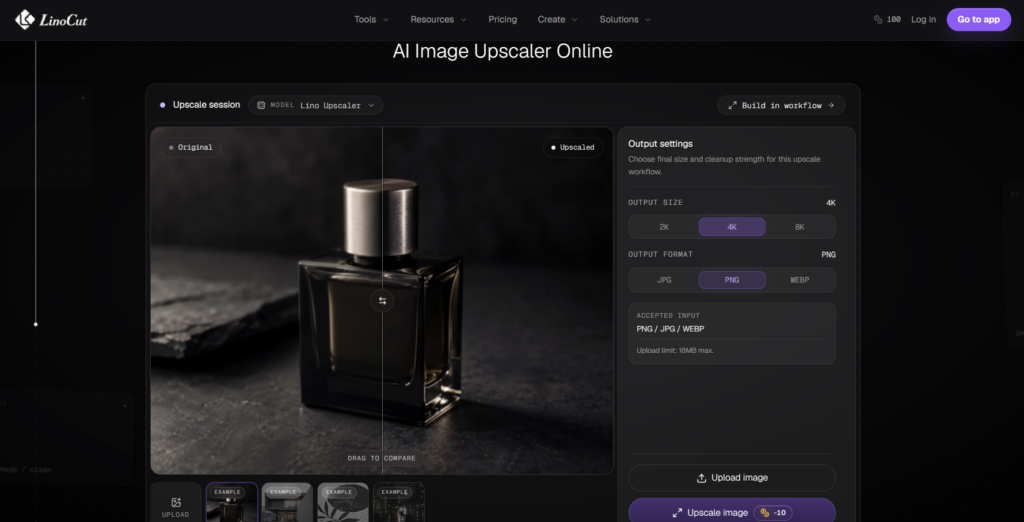
Facial Identity Preservation: Keeping Every Face Recognizable
One of the most important advantages of Linocut's Clarity Model is its focus on facial identity preservation.
For graduation photos, sharpness alone is not enough. The image must remain faithful to the people it represents. A class photo is essentially a visual record of a specific moment in time. Every student, teacher, and family member in that image contributes to its emotional value.
Many conventional AI upscalers attempt to create details that were never present in the original photo. While this can produce a sharper image, it often changes facial characteristics in subtle but noticeable ways.
Linocut's Clarity Model is designed to minimize this problem by prioritizing realistic detail reconstruction rather than aggressive face generation. Instead of replacing facial features with AI-generated approximations, the model focuses on recovering existing information and enhancing it naturally.
This approach helps maintain:
- Natural facial proportions
- Authentic expressions
- Realistic skin textures
- Consistent facial structures
- Better resemblance to the original subjects
For users enhancing graduation photos from years ago, this level of authenticity is essential. The goal is not to create a different version of the past—it is to preserve the memories exactly as they were.
Edge-to-Edge Enhancement for Large Group Photos
Large graduation photos often suffer from uneven image quality.
People standing near the center of the frame typically appear sharper than those positioned along the edges. This is partly due to camera optics and partly due to the way many AI enhancement models process images.
The Clarity Model addresses this challenge by analyzing the entire composition rather than concentrating only on the most prominent subjects.
This helps create more balanced results across:
- Front rows
- Back rows
- Center positions
- Edge positions
- Peripheral facial regions
The result is a graduation photo that feels cohesive and consistent from one side of the image to the other.
This is particularly important when dealing with large class photos where every student deserves equal visual clarity.
No one wants to discover that the people standing at the edges of the image received significantly worse enhancement than those in the center.
Natural Detail Recovery Instead of Artificial Beauty Effects
One mistake many image enhancement tools make is confusing sharpness with quality.
To make photos appear more detailed, some systems aggressively smooth skin, increase contrast, and exaggerate textures.
While these effects may initially look impressive, they often create images that feel artificial.
Graduation photos should look like real memories—not digital illustrations.
Linocut's Clarity Model focuses on recovering natural details such as:
- Hair texture
- Fabric patterns
- Graduation gown folds
- Facial contours
- Accessories and decorations
Rather than producing an overprocessed appearance, the model aims to create images that feel clean, realistic, and true to the original scene.
This balance becomes especially valuable when users plan to print their graduation photos or preserve them for future generations.
Better Results for High-Resolution Printing
One of the primary reasons people upscale graduation photos is to prepare them for printing.
A digital image that looks acceptable on a smartphone may not hold up when enlarged into:
- Framed wall art
- Graduation posters
- Memory books
- Reunion displays
- Family albums
Printing places much greater demands on image quality.
Any flaws in the original file become more noticeable as the print size increases.
Common printing issues include:
- Pixelated faces
- Soft edges
- Blurry details
- Poor texture definition
By increasing image resolution while preserving facial accuracy, Linocut helps users create files that are more suitable for large-format printing.
Whether you're preparing a graduation gift, creating a commemorative display, or building a family archive, higher-quality source images can significantly improve the final result.
Best Practices Before Enhancing Graduation Photos
Even the most advanced AI enhancement technology performs better when provided with high-quality source material.
Before uploading a graduation photo for upscaling, consider the following recommendations.
These simple steps can improve the final outcome and help preserve important details.
Use the Original File Whenever Possible
The original image almost always contains more information than versions downloaded from social media platforms.
Whenever available, use:
- Original camera files
- High-resolution scans
- Uncompressed digital copies
Avoid using screenshots or heavily compressed versions whenever possible.
More source information generally leads to better enhancement results.
Avoid Repeated Compression
Each time an image is uploaded, downloaded, and re-shared through certain platforms, additional quality loss may occur.
Before enhancing a photo, try to locate the highest-quality version available.
Even a modest improvement in source quality can significantly influence the final result.
Scan Printed Photos at High Resolution
If your graduation photo exists only as a printed image, proper scanning becomes critical.
Low-resolution scans limit the amount of information available to the enhancement model.
For best results:
- Clean the photo surface gently
- Use a high-quality scanner
- Scan at the highest practical resolution
- Save the image in a lossless format when possible
A good scan provides a stronger foundation for restoration and upscaling.
Preserve the Entire Image First
Many users crop photos before enhancing them.
While this may seem convenient, it often removes valuable contextual information.
Whenever possible:
- Enhance the full image first.
- Save the enhanced version.
- Create cropped versions afterward.
This approach usually produces better overall quality.
How to Enhance Graduation Photos Online for Free
If you're restoring or enlarging a graduation photo for the first time, the following workflow can help maximize results.
Step 1: Find the Best Source Image
Begin with the highest-quality version available.
This may be:
- The original digital photo
- A high-resolution scan
- An archived image from school records
The stronger the starting image, the better the final outcome.
Step 2: Upscale Using Linocut's Clarity Model for Group Photos
Not all AI enhancement models perform well when processing large group photos.
For graduation photos, Linocut's Clarity Model is specifically designed to deliver stronger results in multi-person images by maintaining facial accuracy and improving overall image consistency across the entire frame.
Key advantages include:
- Better facial consistency across dozens of subjects
- Strong identity preservation to keep each person recognizable
- Natural detail recovery without overprocessing faces
- Balanced enhancement from the center to the edges of the photo
- Optimization for large group scenes such as class and graduation photos
By using Linocut's Clarity Model, users can reduce the risk of facial distortion, uneven sharpening, and AI-generated artifacts while achieving clearer, more realistic graduation photos.
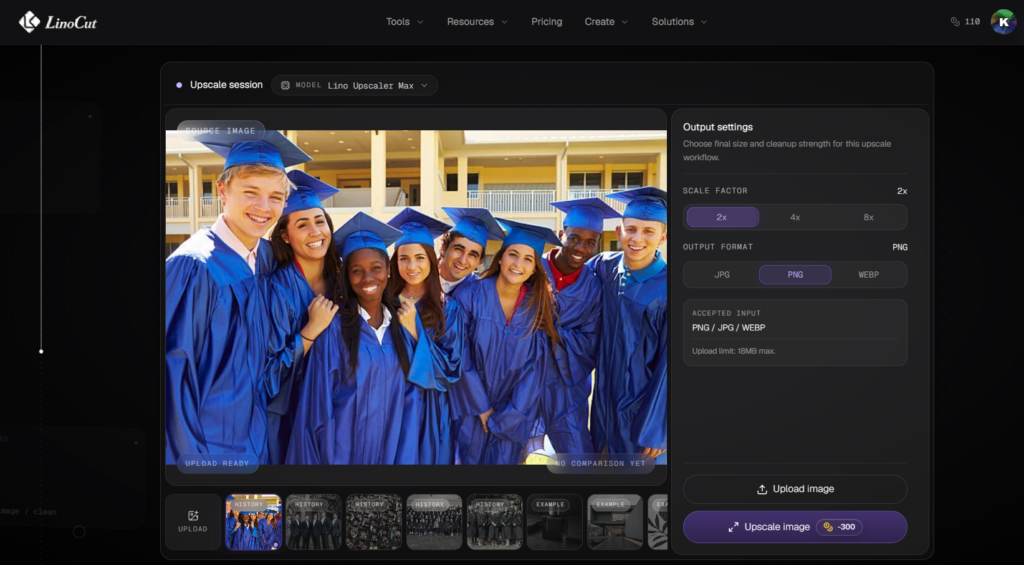
Step 3: Select Lino Upscaler Max & Customize Resolution and Export Format
Switch to the Lino Upscaler Max model for advanced resolution upgrading. This tool offers free upscaling solutions that can boost your graduation group photo to 2X, 4X, or even 8X ultra-high resolution, significantly sharpening every facial feature in the group shot and blurring out noisy, fuzzy textures on faces.
If you hope to retain richer, more prominent fine details in the picture, export the processed image in PNG format — this lossless format fully preserves tiny textures like hair strands, facial contours, and graduation gown patterns with zero compression loss. You are also free to pick other mainstream output formats according to your actual usage demands: compressed JPG for quick sharing on social platforms, or lightweight WEBP to cut down file size for web uploads without obvious quality degradation.
After picking your target resolution and output format, hit the upscale button to start rendering. Once the process finishes, you can preview the before-and-after comparison directly on the page to check facial clarity and overall image quality, then download the high-definition graduation photo to your local device with one click.
Step 4: Review the Results Carefully
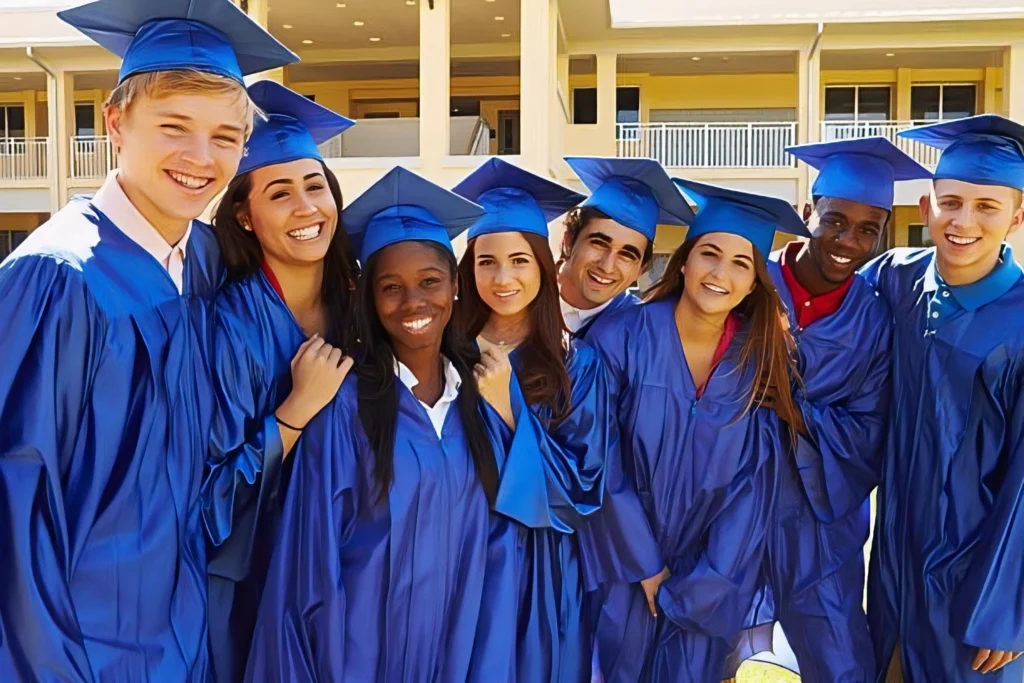
After enhancement, zoom in and inspect individual faces.
Check:
- Facial accuracy
- Edge quality
- Lighting consistency
- Texture realism
A successful enhancement should improve clarity without introducing noticeable artifacts.
Image Compare
Image block: Before
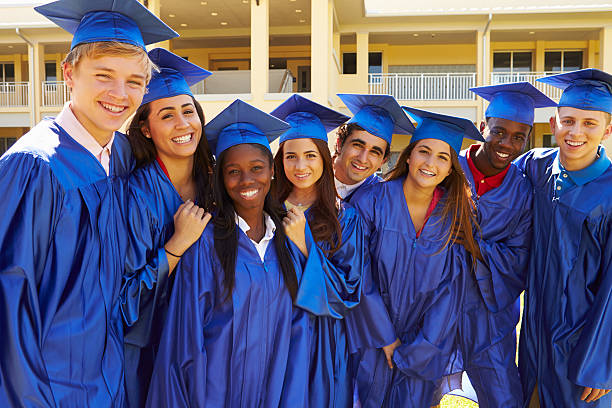
Image block: After
Step 5: Save Multiple Versions
Once satisfied with the results, save versions optimized for different purposes.
Examples include:
- High-resolution archive copy
- Print-ready version
- Social media version
- Family sharing version
Maintaining multiple versions ensures flexibility in the future.
LinoCut AI Image Upscaler is Your Best Choice to Enhance Graduation Photos
Graduation photos are more than images.
They are records of friendships, accomplishments, personal growth, and important milestones that can never be recreated. Years after graduation, these photographs often become some of the most cherished memories people own.
Unfortunately, many graduation photos suffer from low resolution, blurry faces, compression damage, and outdated image quality. While AI upscaling offers a powerful solution, large group photos present unique challenges that traditional enhancement tools often struggle to handle.
Because graduation photos contain dozens—or even hundreds—of individuals, preserving facial identity is just as important as increasing sharpness. A photo may be technically clearer, but if classmates no longer look like themselves, the enhancement has failed to preserve what matters most.
This is where advanced technologies such as Linocut's Clarity Model make a meaningful difference. By focusing on facial consistency, natural detail recovery, edge-to-edge enhancement, and realistic image reconstruction, the model helps users improve graduation photos without sacrificing authenticity.
Whether you're preparing a graduation album, printing a large-format class photo, preserving school memories, or simply revisiting a meaningful chapter of your life, enhancing your graduation photos can help ensure that those memories remain vivid for years to come.
After all, graduation happens only once—but the photographs can last a lifetime when they're preserved with the clarity they deserve.