Recording your own voice can feel like a small part of content creation—until you have to do it over and over again.
A YouTube video needs narration. Then another video needs narration. Your podcast needs a new episode. Your online course needs an update. Suddenly, you're spending hours in front of a microphone instead of working on ideas, editing, or growing your audience.
What if you could clone your voice once and use it whenever you need new narration?
That's the idea behind AI voice cloning. Instead of manually recording every script, you create a digital version of your voice and generate new speech from text. When you need to change something, you edit the script rather than setting up your microphone again.
For creators who publish frequently, this can turn voice recording from a recurring chore into a much simpler part of the content workflow.
Why Recording Your Voice for Every Video Takes So Much Time
Manual voice recording doesn't just mean speaking into a microphone.
Before recording, you need a quiet environment. During recording, you may need multiple takes. Afterward, there's editing, noise removal, trimming, and synchronization with your video.
A simple mistake can restart the entire process.
Imagine you have a 10-minute video with a script you have already written. You record the narration and finish editing the video. Then you notice one sentence contains an outdated statistic.
With traditional recording, you need to find the original audio, set up your microphone, match the previous recording conditions, and record the sentence again.
If the change affects several sections, the process becomes even more frustrating.
This is one reason creators are exploring AI voice cloning for content creation. The goal isn't to avoid creating original content. It's to remove repetitive recording work.
How AI Voice Cloning Lets You Record Your Voice Once
The basic idea behind clone your voice with AI is straightforward.
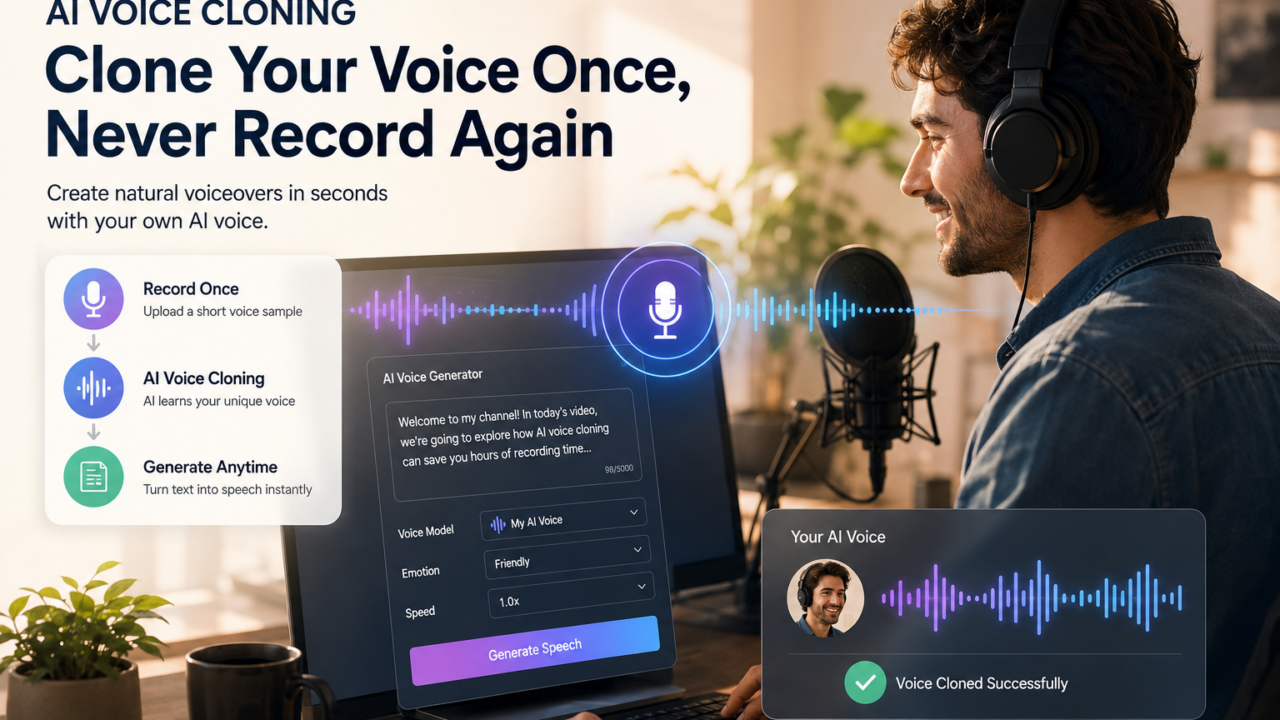
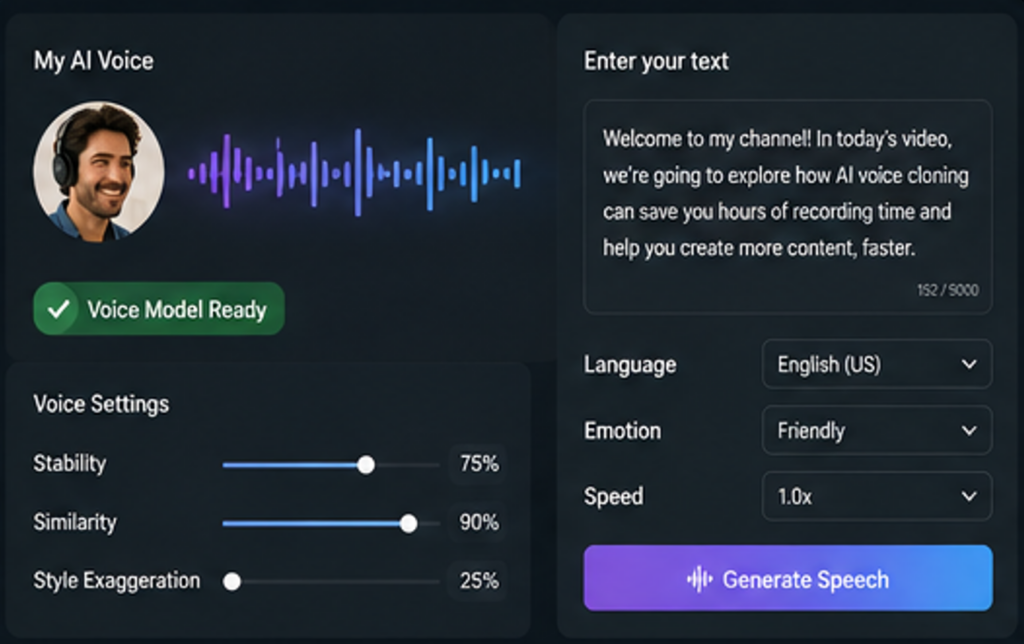
Instead of recording every script, you provide a suitable voice sample to an AI voice system. The system analyzes characteristics of the recording and creates a voice model that can generate new speech based on written text.
After the voice model is created, your workflow changes.
Instead of:
Write → Record → Retake → Edit → Re-record
you can work more like this:
Write → Generate → Edit → Regenerate
That difference becomes increasingly valuable as your content library grows.
You don't have to sit in front of a microphone every time you have a new idea.
Who Can Benefit from an AI Voice Clone?
An AI voice clone can be useful anywhere the same person needs to provide narration repeatedly.
YouTube Creators
For creators who publish several videos every week, recording can quickly become a production bottleneck.
This is especially true for faceless channels, where narration may be present throughout the entire video.
With an AI voice clone, creators can generate narration directly from their scripts while keeping a consistent voice across uploads.
Podcasters
Podcast production involves more than recording the main episode.
There may also be:
- Intros
- Outros
- Advertisements
- Episode updates
- Short promotional clips
An AI-generated version of your voice can reduce the need to record these smaller pieces manually.
Online Course Creators
Course content often needs to be updated.
A software interface changes. A statistic becomes outdated. A lesson needs an additional explanation.
Instead of reopening an entire recording session, you can modify the relevant text and generate replacement narration.
Marketing Teams
Brands often need voiceovers for product videos, tutorials, social media advertisements, and promotional content.
An AI voice clone can help maintain a recognizable narrator across different types of content without requiring a new recording session for every asset.
Content Creators with Multiple Platforms
One piece of content can now appear as a blog post, YouTube video, podcast, short video, and social media clip.
The more formats you create, the more useful a reusable AI voice becomes.
What Can You Do After Cloning Your Voice?
The biggest benefit of an AI voice clone isn't the first generated recording.
It's what happens afterward.
Generate New Scripts Without Recording
Have a new video idea?
Write the script and generate the narration.
You don't need to find a quiet room or spend time preparing your microphone.
Replace Only the Parts That Changed
This is one of the most practical applications of AI voice cloning.
Suppose a 15-minute video contains one incorrect sentence.
You don't need to recreate the entire recording.
Change the sentence, generate the new audio, and replace the affected section.
Create Consistent Content
Your voice naturally changes depending on your mood, energy level, health, and recording environment.
A reusable AI voice can provide a more consistent sound across a large content library.
This can be particularly useful for personal brands that want their voice to become part of their identity.
Repurpose Existing Content
Your old content can become new content.
A blog post can become a podcast.
A newsletter can become a YouTube narration.
A tutorial can become a short video.
Once you have a reusable AI voice, turning written content into spoken content becomes much easier.
AI Voice Cloning vs. Recording Every Time
The difference becomes clearer when you compare the two workflows.
| Traditional Voice Recording | AI Voice Cloning |
|---|---|
| Record every new script | Create the voice model once |
| Requires a microphone setup | Generate narration from text |
| Mistakes require retakes | Edit the text and regenerate |
| Recording conditions can vary | More consistent voice output |
| Voice fatigue can affect production | No repeated recording sessions |
| Difficult to update old content | Regenerate changed sections |
| Time increases with every project | Easier to scale content production |
Traditional recording still has an important place. Live performances, interviews, highly emotional content, and situations requiring spontaneous delivery may benefit from a real recording.
But for repetitive scripted narration, AI voice cloning can remove a considerable amount of manual work.
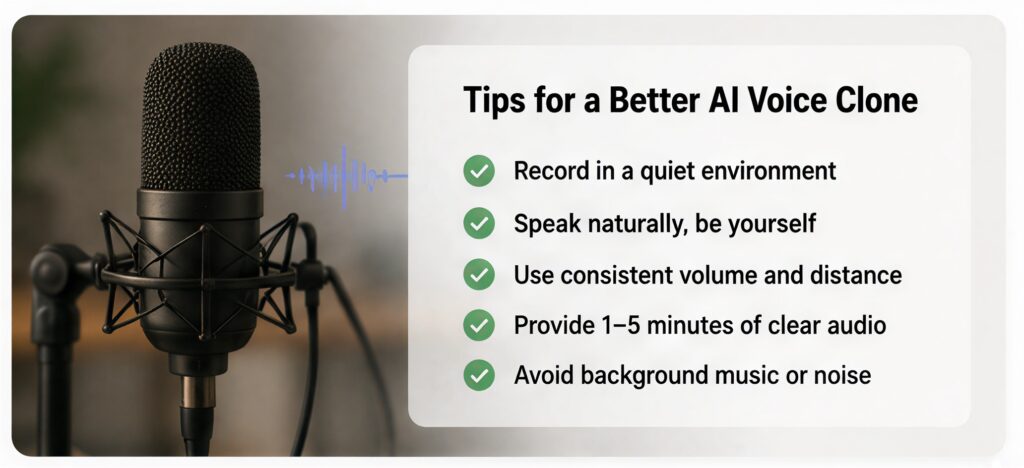
How to Prepare a Better Voice Sample for AI Voice Cloning
The quality of the original voice sample matters.
You don't need a professional recording studio, but you should aim for clean and consistent audio.
Record in a Quiet Environment
Background conversations, traffic, fans, and other noises can make the voice sample harder to use.
Choose the quietest environment available.
Speak Naturally
Don't deliberately change your voice to sound more professional.
Use your normal speaking style. The goal is to create a voice model that feels like you.
Maintain a Consistent Distance
Keep your position relative to the microphone reasonably consistent throughout the recording.
Large changes in volume or microphone distance can make the sample less consistent.
Avoid Excessive Processing
Heavy effects or aggressive audio processing aren't necessary for the original sample.
A clean, natural recording gives the voice model better source material.
How to Make AI Voice Cloning Sound More Natural
A good voice model is only part of the equation.
The script also affects how natural the final narration sounds.
Write for the Ear, Not the Screen
A sentence that looks fine in an article may sound awkward when spoken aloud.
Compare:
"The implementation of AI voice cloning technology provides content creators with a significant opportunity to improve production efficiency."
with:
"AI voice cloning can save creators a lot of production time."
The second version is easier to listen to and easier to understand.
Use Shorter Sentences
Long sentences can create unnatural pacing.
Break complex ideas into smaller thoughts.
Use Punctuation to Control Rhythm
Commas can create short pauses.
Periods create stronger breaks.
Line breaks can also help separate ideas.
Read the Script Before Generating
You don't need to become a voice actor.
Simply read the script aloud once.
If you stumble over a sentence, rewrite it before generating the final narration.
The Best Content Workflow After You Clone Your Voice
Once your voice is ready, you can build it into your normal production process.
A simple workflow looks like this:
1. Create your content idea
Choose the topic, format, and target audience.
2. Write the script
Keep the language conversational and easy to listen to.
3. Generate the narration
Use your AI voice model to turn the script into speech.
4. Review the audio
Listen for pronunciation, pacing, and sections that need rewriting.
5. Create your visual content
Combine the narration with video footage, AI-generated images, screen recordings, or other visuals.
6. Publish and repurpose
Turn the same content into different formats for YouTube, podcasts, social media, or your website.
The key difference is that voice recording is no longer repeated at every stage.
Create Your AI Voice Clone with LinoCut
If you're already using AI to create images, videos, and other content, adding voice generation to the same workflow can make content production much easier.
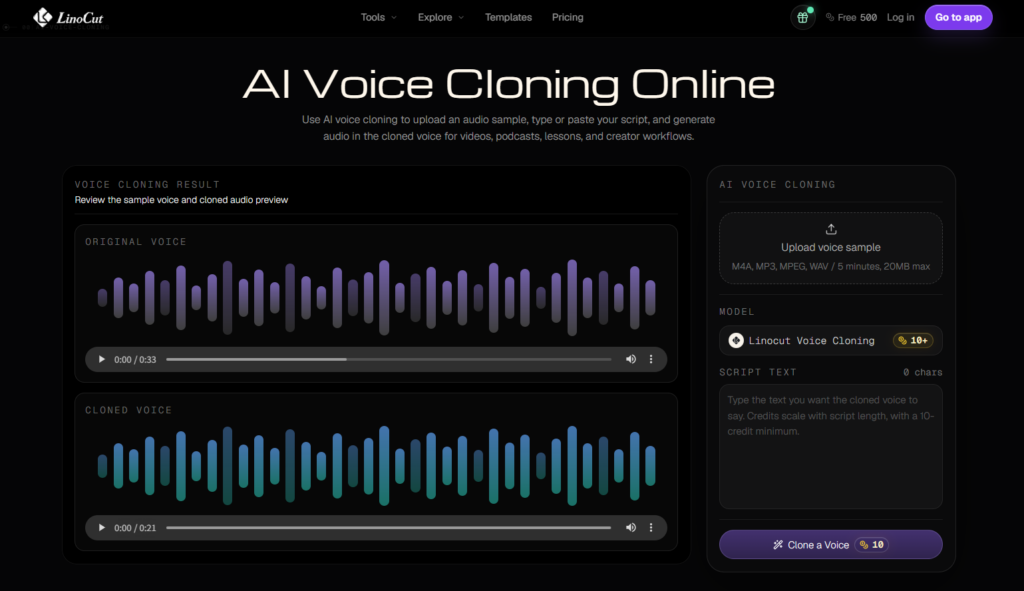
With LinoCut, you can create an AI voice workflow around your existing content rather than treating voice recording as a separate production task.
A typical workflow is simple:
- Prepare a clear voice sample.
- Create your AI voice.
- Add your script.
- Generate the narration.
- Review and adjust the content.
- Export the finished audio for your project.
The biggest advantage is the workflow itself. Once your voice is ready, you can return to the same voice whenever you create another piece of content.
You write.
Your AI voice narrates.
You keep creating.
When You Should Still Record Your Real Voice
AI voice cloning isn't necessarily a replacement for real recording in every situation.
There are times when your actual voice is the better choice.
For example:
- Personal interviews
- Live streams
- Emotional storytelling
- Important announcements
- Direct conversations with your audience
- Content where spontaneous delivery matters
Think of AI voice cloning as another production tool rather than a rule that says you should never use a microphone again.
Use your real voice when authenticity and spontaneity matter most.
Use your AI voice when you need speed, consistency, and repeatable narration.
Clone Your Voice Once and Build a Reusable Content Engine
The real value of AI voice cloning isn't simply generating one piece of audio faster.
It's creating a reusable asset.
Your voice can become part of a repeatable content system:
One Voice → Multiple Scripts → Multiple Videos → Multiple Platforms
A YouTube creator can use it for weekly videos.
A blogger can turn articles into podcasts.
A course creator can update lessons.
A marketing team can produce product narration.
The more content you create, the more valuable this reusable workflow becomes.
Instead of asking, "Do I have time to record this?"
you can focus on a more important question:
"Is this content worth creating?"
That small change can make a significant difference to creators who are trying to publish consistently.
Final Thoughts
Recording your voice isn't necessarily difficult. Recording the same type of narration hundreds of times is.
For creators who publish frequently, AI voice cloning provides a practical way to remove that repetitive step. Clone your voice once, turn scripts into narration whenever you need them, and update content without returning to the microphone every time.
The result isn't just faster voice generation. It's a more scalable content workflow.
Your ideas still come from you.
Your scripts still come from you.
Your voice can simply become something you create once—and reuse whenever you need it.
Frequently Asked Questions About AI Voice Cloning
Can I really clone my voice with AI?
Yes. AI voice cloning technology can create a digital voice model based on a suitable recording of your voice and use it to generate new speech from text.
Do I need to record my voice every time?
No. That's one of the main advantages of AI voice cloning. After creating your voice model, you can generate new narration from written scripts without recording each one manually.
Can I change my script after cloning my voice?
Yes. You can modify your text and generate new narration. This makes AI voice cloning particularly useful for content that requires frequent updates.
Can an AI voice clone be used for YouTube videos?
Yes. AI-generated narration can be used for many types of scripted YouTube content, including tutorials, documentaries, educational videos, reviews, and faceless channels. Always follow the rules of the platform and use voices you have permission to clone.
Does AI voice cloning sound exactly like me?
The result depends on the technology and quality of the source recording. A clean, natural voice sample generally provides better results.
Is AI voice cloning better than text-to-speech?
They serve different purposes. Standard text-to-speech generally provides pre-built voices, while voice cloning is designed to reproduce a specific person's voice and create a more personalized narration experience.
Can I use my AI voice for multiple types of content?
Yes. A reusable AI voice can be used for videos, podcasts, courses, tutorials, advertisements, and other scripted content, provided your chosen tool and applicable usage rights allow it.
Is AI voice cloning useful for solo creators?
It can be especially useful for solo creators because it reduces repetitive recording and editing work without requiring a separate voice actor for every project.