
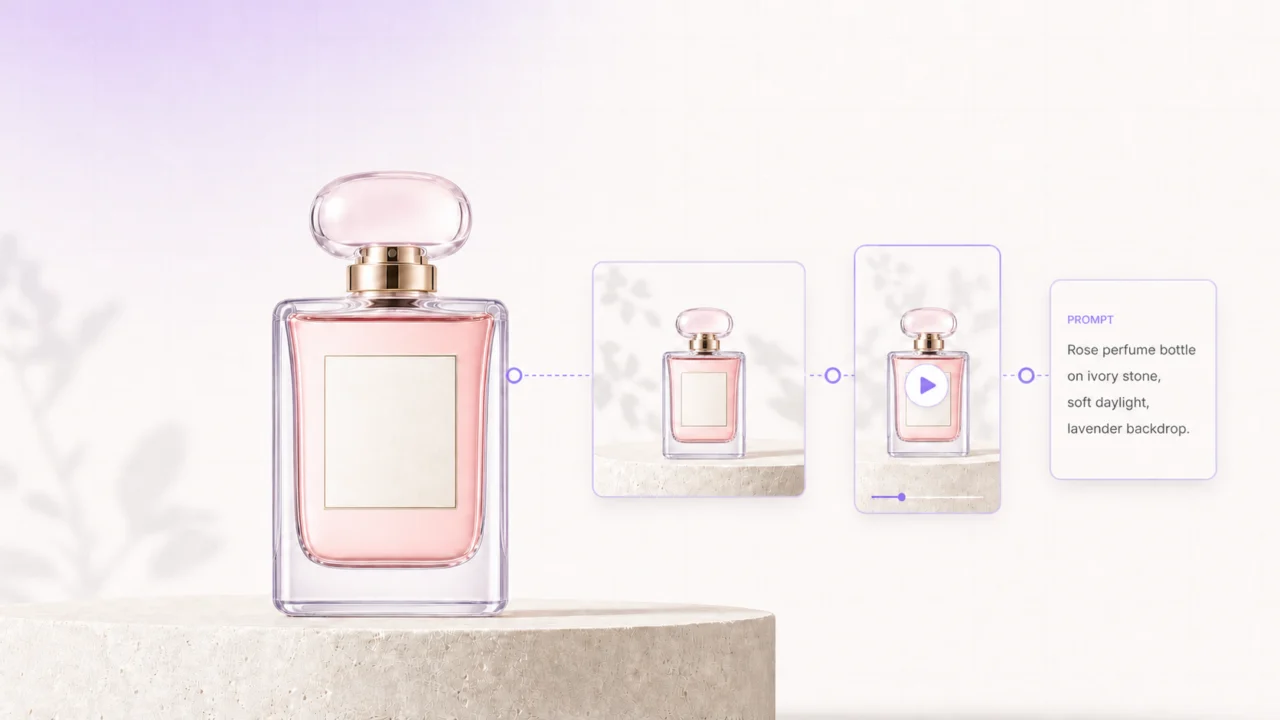
Launching a product rarely fails because a team cannot make one good image. It fails because every channel needs a slightly different version: the product page needs clean visuals, paid social needs hooks and motion, email needs a clear message, and the team needs a way to review it all without losing the approved source files.
A reusable AI content workflow solves that problem. It starts with product facts and approved assets, then moves through defined stages for visual creation, copy, review, and export. The goal is not to automate taste or invent marketing claims. It is to make each approved decision usable again for the next size, channel, or campaign.

The short answer
An AI content workflow for a product launch is a repeatable system that turns one verified product brief into channel-ready images, short videos, copy, and exports. Keep product references and claims fixed at the start; use AI to generate controlled variations; and add a human approval gate before anything is published.
This matters now because creative tools are increasingly designed to coordinate multi-step work rather than perform one isolated edit. Adobe's June 2026 update, for example, described a creative agent that can orchestrate work across ideation, production, and review. Adobe's announcement is a useful signal, but the practical principle is simpler: keep the source, decisions, and outputs connected.
Why one-off generation creates launch chaos
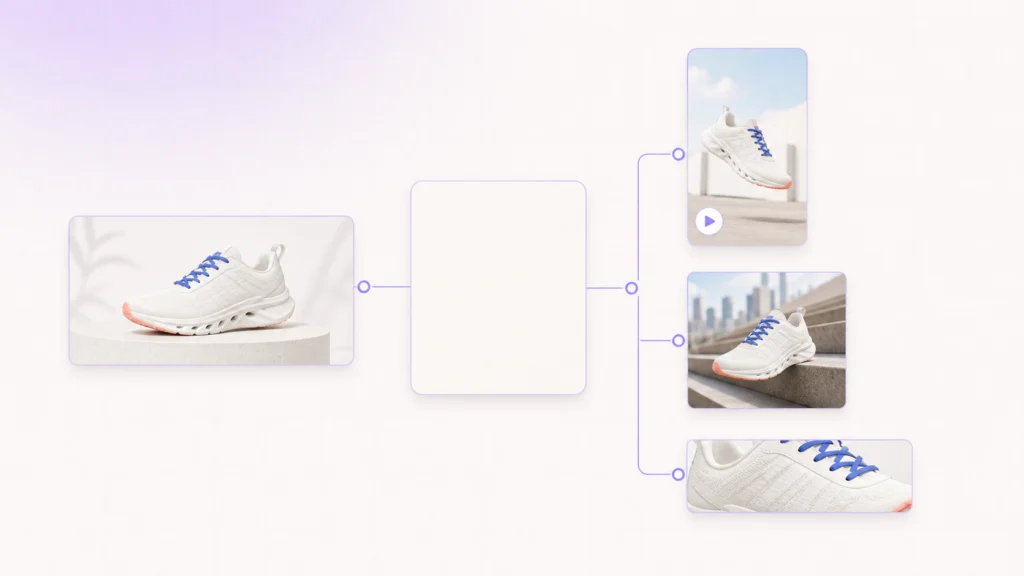
The fastest-looking process is often: write a prompt, generate an asset, send it to a channel owner, and repeat whenever someone asks for a revision. That approach creates three predictable problems.
| Problem | What goes wrong | Better system |
|---|---|---|
| Product drift | Packaging, color, labels, or proportions change across outputs. | Lock approved source assets and product facts before generation. |
| Channel drift | A good desktop visual becomes an unusable vertical ad or email header. | Define output formats and required variants in the brief. |
| Approval drift | Teams cannot tell which file, claim, or version was approved. | Assign a review owner and preserve the approved master. |
Use AI to expand a reliable source, not replace it. For a physical product, that source should include front, side, and detail photos; packaging close-ups; exact color references; product claims; and prohibited claims. For software, it can include approved UI captures, feature language, and brand components.
Build the launch source pack first

Before opening a generator, make a compact source pack. It becomes the single input for every later image, video, caption, and landing-page visual.
What belongs in the pack
- Product truth: approved name, specifications, price or offer status, claims, and restrictions.
- Visual truth: product angles, packaging details, logo rules, brand colors, and examples of what must not change.
- Audience truth: one primary audience, one launch message, and the real problem the product solves.
- Channel plan: destinations, aspect ratios, durations, deadlines, and owners.
- Review rules: who approves product accuracy, legal or claim language, brand fit, and final publication.
Clean the inputs before producing variations. A Linocut photo-editor can remove temporary defects or correct lighting in an approved product image, while a background-removal step can prepare a clean subject for a new campaign setting. The point is to protect the product's recognizable details—not to let the model reinterpret them.
Map one brief to the assets each channel actually needs
A reusable AI content workflow becomes much easier when the deliverables are defined before creative work begins. Start from the campaign message, then assign one job to each asset.
| Channel | Asset | Job | Starting Point |
|---|---|---|---|
| Product page | Hero image and detail crops | Make the product recognizable and credible. | Approved product photos |
| Paid social | 9:16 motion cut and 1:1 static | Stop the scroll and show one proof point. | Product truth + one campaign concept |
| Header image, subject-line options, body copy | Explain why the launch matters. | Product benefit + offer rules | |
| Organic social | Carousel, short clip, caption variants | Create a useful or shareable reason to engage. | One audience question or use case |
| Sales or partner kit | One-page overview and key visual | Keep partners on-message. | Approved facts and final hero asset |
Do not begin with “make ten assets.” Begin with “what must this person understand or do after seeing this?” That question keeps the output varied without becoming random.
Run the five-stage AI content workflow
Prepare a controlled master asset

Choose one product image or approved key visual as the master. Repair small distractions, check the label and silhouette, and confirm that it represents the actual product. Keep the unedited original beside the master so reviewers can compare them.
When a new scene is needed, describe the scene around the product rather than re-describing the product from memory. Include constraints such as “preserve the exact bottle shape, cap color, and label layout from the reference.” This makes the prompt a production instruction, not an open-ended art direction exercise.
Create a small, deliberate visual set

Generate only the variations the channel plan requires. A sensible first set might include a clean hero, a lifestyle scene, a close-up proof image, a vertical social crop, and a motion-ready still.
For each variation, keep four fields visible:
- Audience and use case
- Single message or proof point
- Required product details
- Format and channel
That structure makes revisions specific. “Change the background to a morning kitchen while preserving the amber bottle and black cap” is actionable. “Make it feel more premium” is not enough on its own.
Add motion only where motion proves something
Video should show a transformation, action, texture, sequence, or context that a still cannot explain. A quick product reveal, a close-up use demonstration, or a before-and-after sequence can earn its production time. A looping camera move with no new information usually does not.
Use a prompt-to-video workflow to turn a concise scene brief into a short clip, then create versions for the needed aspect ratios. Linocut's text-to-video tool supports settings for duration, resolution, and format, and keeps a clip connected to downstream enhancement, captions, titles, audio, and export steps. Google's recent release notes also show the broader direction of multimodal creative tools: video and image inputs are increasingly part of the same workflow.
Keep clips short and single-purpose. Review hands, product contact points, labels, shadows, and any on-screen text frame by frame before moving to the next stage.
Turn approved creative into message variants
Approved pink wireless earbuds adapted into commuter, feature-proof, and trust-focused campaign messages.](https://cdn-wp.linocut.ai/wp-content/uploads/2026/07/ai-product-message-variant-workflow-1024x576.webp)
Once a visual direction is approved, write copy from the same source pack. That means the product page, ad headline, email introduction, social caption, and partner description all start with the same approved facts.
Build variations around real differences in audience need, not just word swaps:
| Audience question | Content angle | Example output |
|---|---|---|
| “Will this fit my routine?” | Convenience or setup | A 15-second demo and a concise caption |
| “What makes it different?” | Feature proof | Detail image, comparison point, and email lead |
| “Can I trust it?” | Materials, process, or evidence | Product-page module and FAQ answer |
This is where an AI creative workflow becomes useful: approved product evidence flows into each expression of the campaign. You can still test hooks, headlines, and captions, but none of them should introduce an unsupported benefit or an invented customer experience.
Review, package, and save the recipe

Do not make review a final, vague “looks good?” message. Review against a short checklist:
- Is the product shape, color, label, and scale accurate?
- Does every claim match the approved product truth?
- Does the asset meet the destination's format and safe-area needs?
- Is the message clear without relying on small text or hidden context?
- Are rights, consent, and AI disclosure requirements accounted for where relevant?
After approval, package the finished exports with the master asset, final prompt or scene brief, copy source, destination formats, and reviewer notes. That package is the reusable part. Next month, a team can replace the campaign message or setting without rebuilding the product truth from zero.
How Linocut fits the workflow
Linocut is most useful here as a connected workspace, not as a reason to generate more assets. It brings image repair, generation, video, audio, and text tasks into one canvas, so an approved source can move through production without being copied into disconnected tools.
| Launch stage | Practical Linocut role | Output to preserve |
|---|---|---|
| Source preparation | Clean, refine, crop, or isolate the product image. | Approved master asset |
| Visual development | Create controlled scenes and campaign variations. | Approved visual direction |
| Motion | Build a short product or social clip from a scene brief. | Clip plus format settings |
| Messaging | Develop titles, copy, prompts, and social captions. | Approved message set |
| Reuse | Keep source, choices, and deliverables connected. | A repeatable launch recipe |
For visual-variation guidance, the related guide on avoiding brand drift in AI ad variations is a useful next read. For launch teams, the key is to preserve the system: source asset, claim set, creative decision, review state, and export list.
Common mistakes to avoid
This makes product details drift and turns small revisions into full rework. Use the approved master and a documented brief as the starting point each time.Generating before deciding the channel job
An attractive image is not automatically a good launch asset. Define whether it must explain, demonstrate, convert, or support a message before creating it.
Letting speed bypass approval
AI can accelerate production, but it cannot validate physical accuracy, marketing claims, rights, or brand taste. Keep a named human reviewer at the decision points that affect trust.
Saving files but not decisions
A folder of exports is not a reusable workflow. Save the approved source, prompt constraints, copy source, audience, formats, and review notes together.
Frequently asked questions
What is an AI content workflow?
An AI content workflow is a documented sequence that uses AI to help prepare, create, adapt, review, and package content. For product launches, it should connect approved product facts and source assets to the final images, videos, copy, and exports for each channel.
Can a small team use an AI content workflow?
Yes. A small team may use one shared source pack, one launch brief, a short asset matrix, and one final approval step. The value is not enterprise complexity; it is avoiding repeated work and inconsistent product details.
How many assets should a product launch have?
Start with the minimum set that covers the channels you will actually use. One strong hero, one proof visual, one short motion asset, one message set, and correctly sized exports are often more useful than dozens of near-duplicate generations.
What should humans still review?
Humans should verify product accuracy, claims, brand fit, legal or disclosure requirements, consent and licensing, and whether the asset is clear in its final placement. AI can make options; accountability should remain with the team.
Final takeaway
A reusable AI content workflow does not mean pressing one button for a complete launch. It means turning a trusted product source into controlled variations, then saving the decisions that made them work. Start small, review carefully, and reuse the recipe—not just the files.