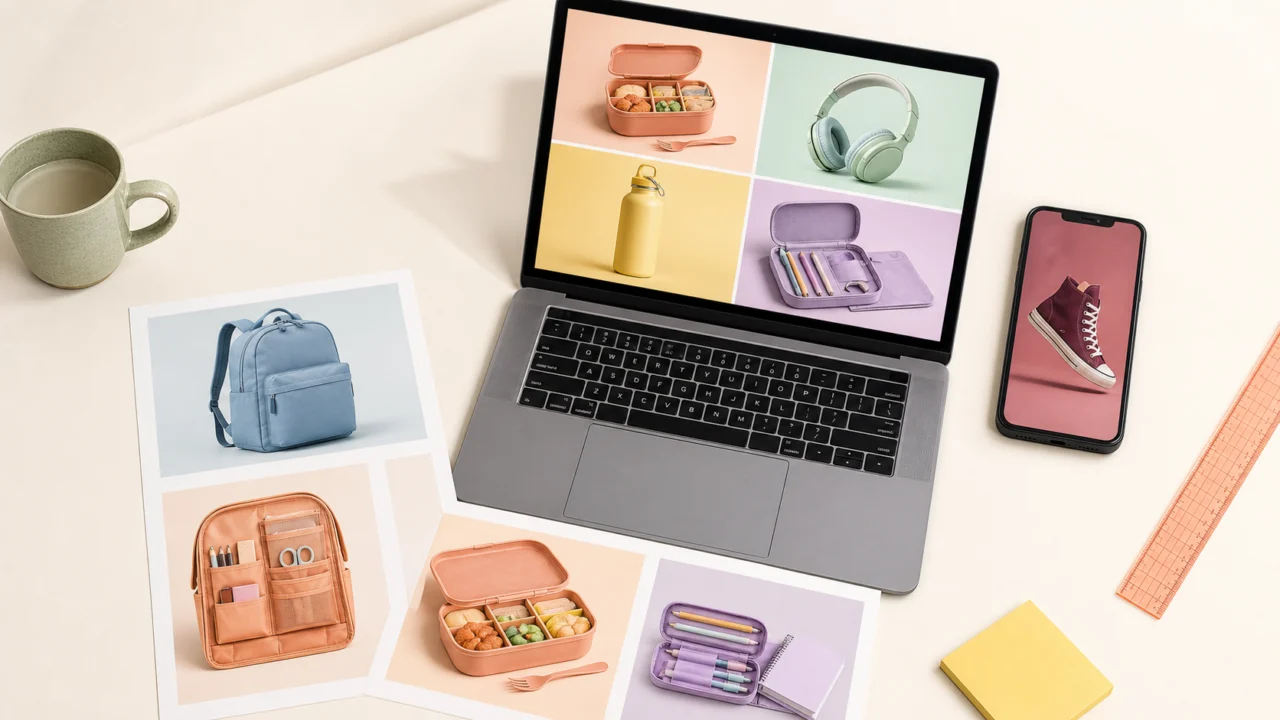
You can turn one product photo into a complete set of static back-to-school ads by separating the product from its original background, placing it in several relevant school-season settings, and adapting the message for parents, students, or teachers. The key is to preserve the real product while changing the campaign context around it.
Back-to-school campaigns do not need a large photoshoot or dozens of source images. A clean product photo can become a value-focused feed ad, a student desk scene, a dorm-room visual, a checklist graphic, or a last-minute reminder. A connected AI editing workflow makes those variations faster to produce without asking the model to reinvent the product every time.
These back-to-school ad ideas are especially useful for small teams that need more creative variety from a limited source-photo library.
Why the 2026 Back-to-School Opportunity Starts Early
Back-to-school shopping begins well before the first day of class. In its July 14, 2026 survey, the National Retail Federation reported that 62% of shoppers had already started shopping by early July. The same release emphasizes that affordability remains a central concern.
That creates two useful rules for marketers:
- Publish campaign creative before the final August rush.
- Make the product's practical value immediately understandable.
The strongest back-to-school ad ideas do more than add pencils and notebooks to a background. They show who the product helps, what school-season problem it solves, and why it deserves space in a limited budget.
The One-Photo Static Ad Workflow
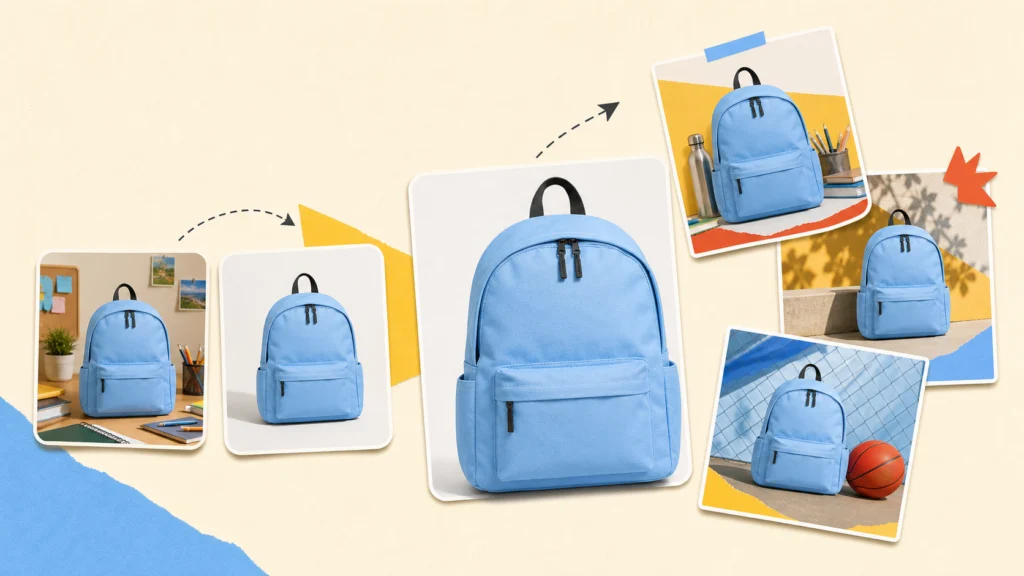
Use one strong source image as the product truth. Change the surrounding context, not the product itself.
| Stage | Goal | Output |
|---|---|---|
| Clean | Remove distracting props, dust, tags, or reflections | A usable source photo |
| Isolate | Separate the product while preserving labels and edges | A transparent or clean-background cutout |
| Direct | Choose one audience, benefit, and seasonal setting | A focused creative brief |
| Build | Create or upload an appropriate background | A believable school-season scene |
| Polish | Align lighting, scale, shadow, and color | A cohesive static ad |
| Adapt | Recompose for each placement | Feed, story, marketplace, and email variants |
| Review | Check accuracy, readability, and offer details | A publish-ready asset set |
This sequence prevents a common failure: generating many attractive images that no longer represent the actual item being sold.
It also gives several back-to-school ad ideas a consistent visual foundation, making the final campaign feel connected rather than improvised.
Step 1: Prepare the Source Product Photo
Start with the highest-resolution product image available. A phone photo can work if the product is sharp, evenly lit, and clearly separated from nearby objects.
Before changing the background, inspect the source for:
- Temporary price stickers or shipping labels
- Dust, cables, hands, or props that should not appear
- Harsh reflections on glass or glossy packaging
- Cropped edges that will limit future layouts
- Color casts that make the product inaccurate
Small distractions become more obvious when the product is placed on a simple background. Clean them first with an AI object remover rather than trying to hide them in the final composition.
Do not remove permanent packaging information, safety labels, or product details customers need to make a decision. The goal is visual cleanup, not a misleading product representation.
Step 2: Isolate the Product Without Losing Important Edges
A reusable cutout is the foundation for most one-photo back-to-school ads. Use the Linocut AI Background Remover to separate the product from the original scene and review the result before building variations.
Pay particular attention to:
- Backpack straps and fabric edges
- Transparent bottles and glass
- Fine stationery details
- Electronics cables and ports
- Printed labels and package typography
- Natural contact shadows
A cutout should look clean, but not unnaturally sharp. Keeping a believable contact shadow often helps the product sit naturally on a desk, shelf, locker, or dorm surface.
Export a transparent PNG when the product will be reused across multiple layouts. Keep the original photograph as a reference so every later variation can be checked for color and shape accuracy.
Step 3: Build Three Reusable Seasonal Directions
Instead of generating a different concept for every placement, create three visual systems and adapt each one. This produces variety without losing campaign consistency.
Value-First Essentials
Use a bright, organized desk or shelf with generous empty space. Show the product as a practical part of a shopping list rather than a luxury object.
Best for:
- School supplies
- Everyday apparel
- Lunch products
- Storage and organization
- Affordable electronics accessories
Suggested message: one useful purchase, several school-day benefits.
Student-Led Personal Style
Use a bedroom, locker, campus, or study-space context with more personality. Color, texture, and accessories can signal a specific student identity without overwhelming the product.
Best for:
- Backpacks
- Shoes and apparel
- Headphones and phone accessories
- Dorm decor
- Beauty and personal-care products
Suggested message: start the year feeling prepared and recognizable.
Calm Parent or Teacher Planning
Use a clean checklist-like composition, grouped essentials, or an orderly classroom setup. The emotional benefit is less chaos, not simply more stuff.
Best for:
- Bundles and multipacks
- Classroom supplies
- Labels and organizers
- Meal-prep products
- Learning tools
Suggested message: make the first weeks easier to manage.
When a suitable background does not exist, generate the scene separately with the Linocut Text to Image Generator. Describe the setting, light, viewing angle, and empty placement area, but do not ask the generator to recreate the branded product. Add the genuine cutout afterward.
Seven Back-to-School Ad Ideas From One Photo
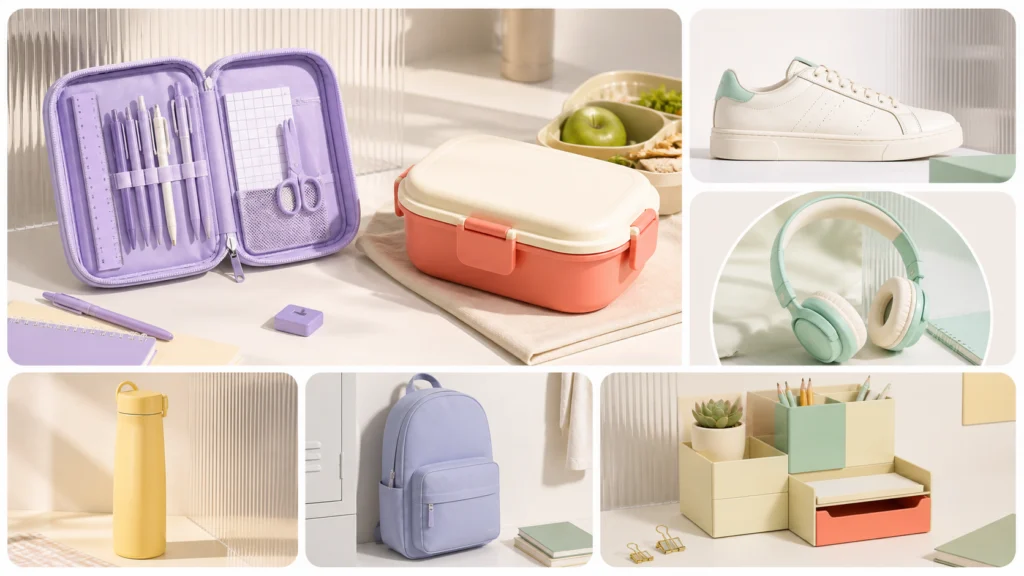
The most effective back-to-school ad ideas combine an accurate product image with a clear audience, setting, and seasonal message. These back-to-school ad ideas can all begin with the same product cutout. What changes is the audience problem and visual context.
The Desk Reset
Place the product in a clean study setup with a notebook, neutral lamp, and one restrained color accent. Keep the desk realistic rather than perfectly staged.
Best message: Start the term with a workspace that is ready to use.
The Budget Bundle
Repeat or pair the product with complementary items to communicate a kit, bundle, or multipack. Use a simple grid or flat-lay composition so viewers can count what is included.
Best message: Cover more of the shopping list with one purchase.
Only show quantities and bundle contents that the customer will actually receive.
The Dorm-Room Upgrade
Place the product in a compact dorm context: a bedside shelf, shared desk, small closet, or study corner. Scale is important because dorm shoppers often need to understand how an item fits into limited space.
Best message: Make a small space work harder.
The First-Day Essential
Make the product the clear hero and surround it with only two or three supporting school cues. This works well for a fast, recognizable feed ad.
Best message: The one item you will want ready before day one.
The Parent Checklist
Use an orderly composition with room for three short benefits. Focus on durability, easy cleanup, everyday usefulness, or repeat use where those claims are supported.
Best message: One less thing to worry about during the first week.
The Teacher Toolkit
Frame the product in a classroom-preparation scene. Show organization and repeat use rather than relying on childish decorative clichés.
Best message: A practical classroom setup for a busy term.
The Last-Minute Reminder
Use a simpler, high-contrast composition for shoppers close to the start date. The product, offer, and deadline should be visible without decorative clutter.
Best message: Get the essential before classes begin.
These concepts can also inspire back-to-school social media posts that are not paid ads. For example, turn the Desk Reset into a preparation tip, or use the Parent Checklist as a saveable organic post before introducing the product.
Adapt One Concept for Different Static Placements
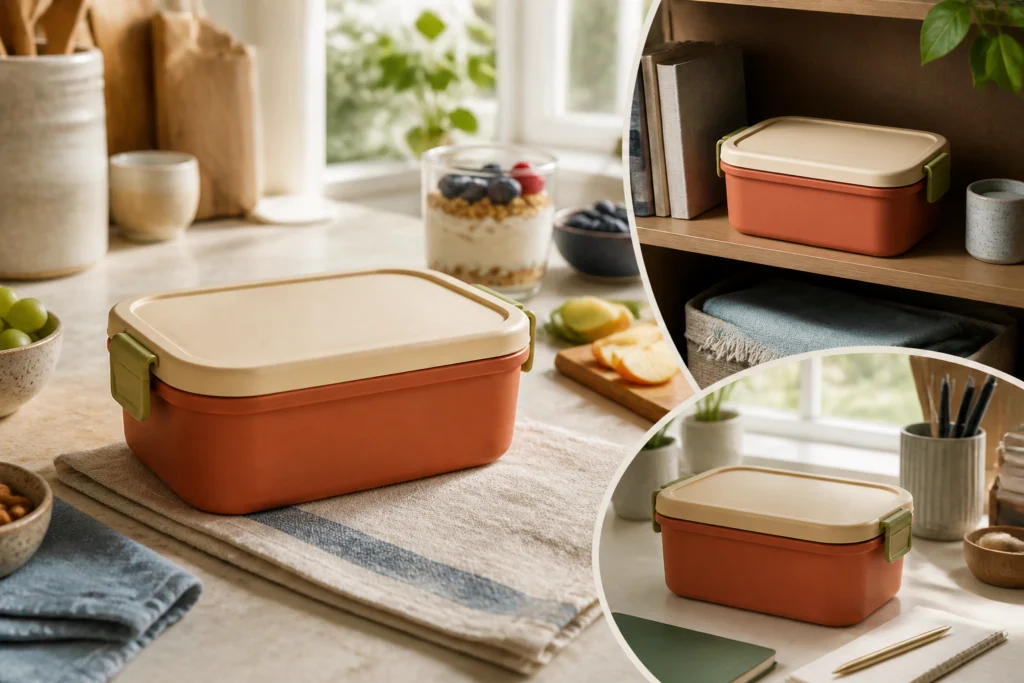
By reusing one clean product cutout, teams can test more back-to-school ad ideas across social media, marketplaces, and display placements. Do not create one image and crop it blindly. The same back-to-school ad ideas need deliberate recomposition for each placement, with the product, message area, and supporting props treated as separate zones.
| Placement | Composition rule | Copy rule |
|---|---|---|
| Square feed post | Center or slightly offset the product | One short headline and one supporting benefit |
| Portrait feed ad | Keep the product in the lower two-thirds | Reserve clear space above for the message |
| Vertical story | Protect top and bottom interface-safe areas | Use one idea that can be read quickly |
| Marketplace image | Prioritize product accuracy and clean background | Avoid decorative claims and excess copy |
| Email banner | Use a wide composition with lateral negative space | Pair the visual with HTML text where possible |
TikTok's back-to-school campaign guidance recommends useful formats such as product reviews, tips, and trend-led hacks. Even when producing static assets, that is a good creative principle: demonstrate usefulness instead of relying on a generic seasonal slogan.
How Linocut Supports This Static Workflow
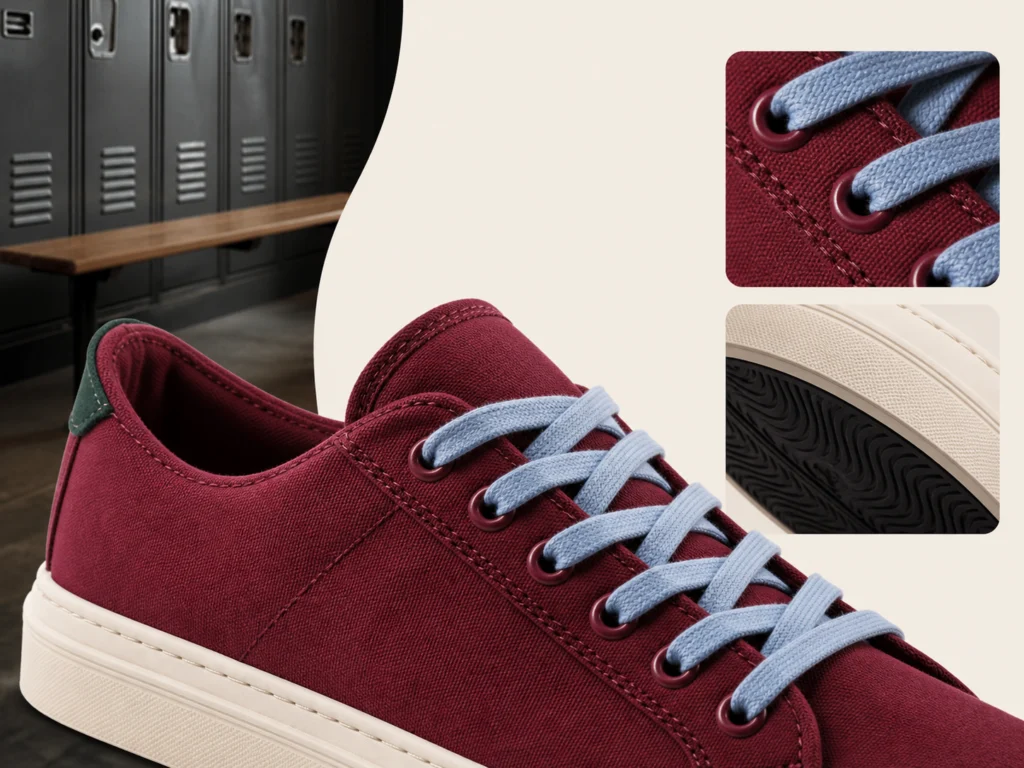
Linocut AI can keep the source image and each editing step connected inside one creative workspace. For this campaign, use only tools that are currently available.
| Need | Feature | Role in the campaign |
|---|---|---|
| Remove source distractions | Object Remover | Clean props, clutter, stickers, or unwanted objects |
| Create a reusable product cutout | AI Background Remover | Preserve the real product while changing its context |
| Generate a background concept | Text to Image Generator | Create an unbranded desk, dorm, or classroom setting |
| Polish the static composite | AI Photo Editor | Refine the finished image and visual consistency |
| Prepare a larger export | Image Upscaler | Improve resolution for larger static placements |
The AI Background Remover is the central feature because it lets the same genuine product move across several seasonal settings. The other tools support that core task; they should not replace the product with an invented version.
Common Mistakes to Avoid
Making the Product Look Different
AI-generated packaging, colors, buttons, labels, or proportions can create a mismatch between the ad and the item customers receive. Preserve the original product cutout whenever accuracy matters.
Treating “School” as a Decoration
Scattered pencils do not create a useful campaign idea. Tie the setting to a real need: saving money, organizing a small dorm, preparing a classroom, or reducing first-week stress.
Filling Every Empty Area
Negative space is useful. It provides room for copy, allows one layout to adapt to several placements, and helps the product remain the visual priority.
Using Too Much Generated Text
Do not rely on an image model to render offer details, dates, prices, or legal copy. Add critical text in a controlled editing or layout step and proofread it separately.
Publishing One Version Only
Parents, college students, and teachers respond to different needs. Test changes in message and setting, not just different colors of the same composition.
Static Ad Review Checklist
Before publishing, confirm that:
- The product matches the real item in shape, color, and labeling.
- The background supports a specific school-season use case.
- The product remains the largest or clearest visual subject.
- The offer, price, date, and quantity are accurate.
- Important copy stays readable on a phone screen.
- The layout works in its intended placement without an awkward crop.
- The image does not imply accessories that are not included.
- At least two audience or message variations are ready for testing.
Final Takeaway
The best back-to-school ad ideas do not require a new photoshoot for every concept. Start with one accurate product photo, clean it carefully, create a reusable cutout, and place that product into a small set of purposeful seasonal contexts. For marketers comparing back-to-school ad ideas, product accuracy should be the deciding filter.
With Linocut AI, the central step is background removal: the real product stays consistent while the desk, dorm, classroom, audience, and message change around it. That gives small teams a practical way to produce more static campaign options during a short and competitive shopping season.
Frequently Asked Questions
When should a back-to-school campaign start?
Planning and creative production should begin before the final August rush. NRF's July 2026 survey found that many U.S. shoppers had already started by early July, so brands should have initial assets ready early enough to learn from performance and refine later versions.
What are effective back-to-school ad ideas for small brands?
Useful concepts include a desk reset, budget bundle, dorm-room upgrade, parent checklist, teacher toolkit, first-day essential, and last-minute reminder. Choose the concept that makes the product's practical school-season benefit easiest to understand.
Can one product photo be used for several ads?
Yes. Remove the original background, export a clean product cutout, and reuse it across different settings and layouts. Keeping the same cutout improves product consistency while backgrounds, copy, audience, and placement change.
Which feature is most useful for this workflow?
The Linocut AI Background Remover is the main feature because it isolates the genuine product for reuse. Object Remover, Text to Image, AI Photo Editor, and Image Upscaler can support cleanup, background creation, polish, and export preparation.
Should AI generate the entire product ad?
Not when product accuracy matters. Use the real product photo as the visual source of truth. AI can help clean the image, generate an unbranded setting, and create variations, but labels, colors, proportions, offer details, and included accessories should be verified manually.
What image format is best for a reusable product cutout?
Transparent PNG is usually the most flexible format for placing a product into multiple static layouts. A flattened JPG or WebP can be useful for final web delivery once the background and composition are approved.