Nano Banana 2 Lite makes one thing clear: fast generation changes the ai photo generator workflow. When a text to image generator can produce drafts quickly, prompting becomes less about one perfect instruction and more about testing, comparing, extracting, and reusing what works.
That shift matters for creators, marketers, ecommerce teams, and small brands. A faster AI photo generator can create more ideas, but it can also create more scattered prompts, half-used references, and visual directions that disappear after one session.
Quick Answer
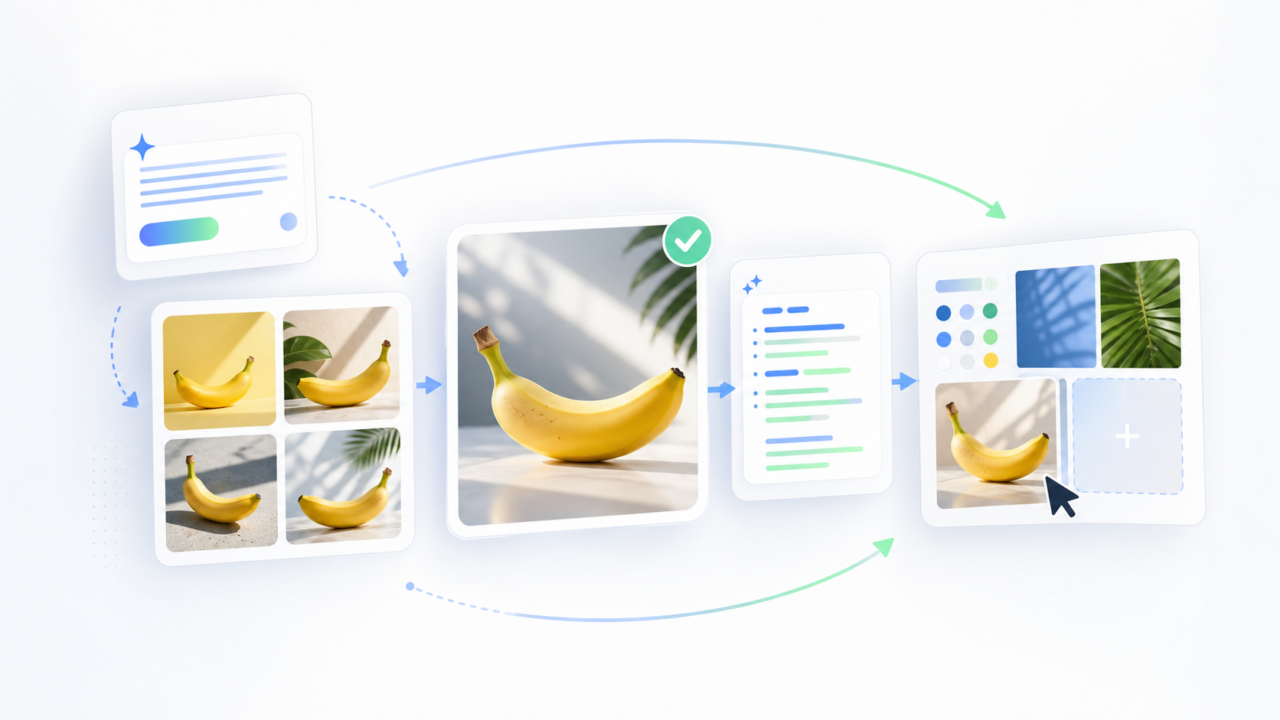
Nano Banana 2 Lite does not make prompt strategy less important. It makes prompt reuse more important. A stronger AI photo generator workflow should move through five steps: generate quickly, compare outputs, identify what worked, turn strong images back into reusable prompts, and reuse those prompts across campaign assets.
| Workflow Stage | What Changes With Faster Generation |
| Drafting | Users can test more visual directions with less hesitation |
| Reviewing | Output comparison becomes more important than one-shot prompting |
| Prompting | Prompts become reusable creative assets, not throwaway text |
| Editing | Fast drafts still need controlled cleanup and quality passes |
| Campaign production | Winning styles should be reused across formats |
Why Nano Banana 2 Lite Changes AI Photo Generator Habits

In Google's Nano Banana 2 Lite launch notes, the model is positioned around faster, more cost-efficient image generation and editing. That speed changes how people use an AI photo generator or AI image generator from text.
Instead of spending ten minutes perfecting one long prompt, users can test several rough directions, compare the results, and refine from the image that works best.
The behavior shift
| Before Fast Generation | After Fast Generation |
| Write a detailed prompt first | Start with a rough visual direction |
| Wait longer for fewer outputs | Generate more drafts quickly |
| Judge one image in isolation | Compare several images side by side |
| Rewrite prompts from memory | Extract the winning direction into a reusable prompt |
| Treat each prompt as temporary | Build a prompt library for future campaigns |
The risk is that speed can make the AI photo generator workflow messy. If every output becomes a new branch, the team needs a system for deciding which image, prompt, style, and edit path should be kept.
Old Text-to-Image Prompting vs New Workflows
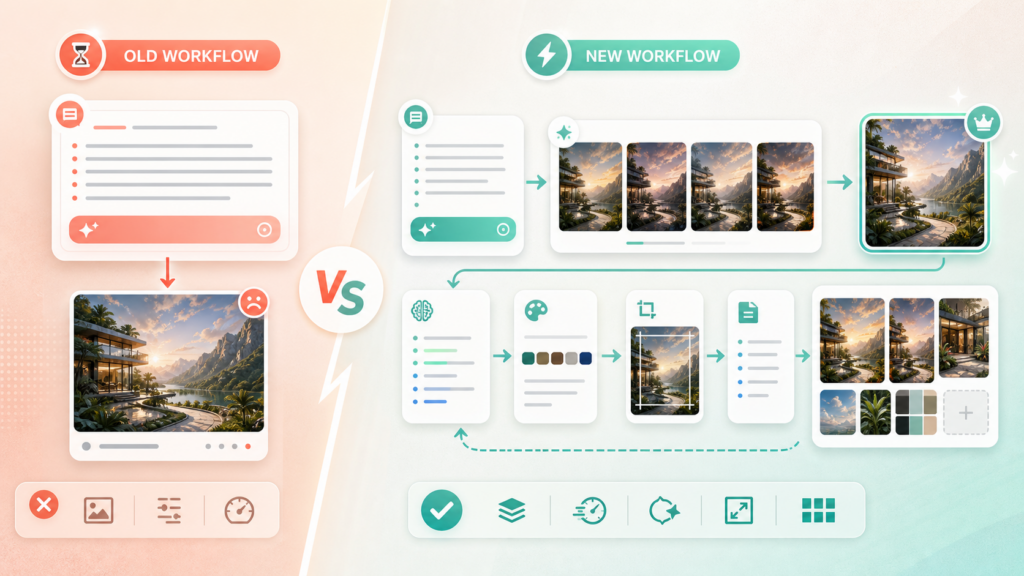
The old prompt-to-image workflow was prompt-first. The new workflow is output-informed.
| Dimension | Old Prompt Workflow | New Fast-Generation Workflow |
| Starting point | A carefully written prompt | A fast draft or visual direction |
| Main goal | Get one strong result | Explore, compare, and refine |
| Prompt role | Instruction text | Reusable creative system |
| Image role | Final output | Feedback source for better prompts |
| Best practice | Add more prompt detail | Extract what worked from the best image |
| Main problem | Slow iteration | Too many scattered variants |
| Better habit | Prompt engineering | Prompt reuse and workflow management |
This is why a faster image generator ai workflow can make image-to-prompt steps more valuable. The winning image becomes evidence. It shows the lighting, framing, subject style, background mood, and composition that the original prompt may not have captured clearly.
The New Text-to-Image Workflow
A modern prompt-to-image workflow should be built for iteration. Speed is useful only when the workflow can preserve the best parts of the experiment.
Step 1: Generate fast drafts
Start with a short prompt and generate several directions. At this stage, the goal is not perfection. The goal is to discover a visual route worth improving.
Useful draft prompts include:
- Product photo in a clean studio campaign scene
- Soft editorial skincare ad with natural light
- Futuristic app launch visual with glass UI elements
- Cozy lifestyle product scene for social media
Step 2: Compare outputs by decision criteria
Do not only pick the prettiest image. Compare outputs by whether they can become campaign assets.
| Criterion | What to Check |
| Product clarity | Is the main subject readable? |
| Style consistency | Could this look repeat across more assets? |
| Composition | Is there space for cropping, copy, or product placement? |
| Editability | Can weak areas be fixed without restarting? |
| Channel fit | Can it work for social, ads, thumbnails, or product pages? |
Step 3: Extract what worked
When one output works, do not leave it as a finished image only. Turn it into reusable creative direction.
This is where image to prompt becomes useful. Google's official Gemini image generation docs describe workflows that combine text and image inputs, which is exactly why a good reverse prompt should capture subject, style, lighting, composition, material details, camera feel, and negative constraints.
Step 4: Rewrite the prompt for reuse
The extracted prompt should be cleaned into a reusable template.
| Prompt Component | Example Use |
| Subject | Product, person, object, room, or scene |
| Style | Editorial, ecommerce, cinematic, minimal, playful |
| Lighting | Softbox, daylight, rim light, studio glow |
| Composition | Centered, hero crop, split layout, overhead |
| Palette | Neutral, pastel, premium dark, seasonal |
| Constraints | No logo, no readable text, no distorted hands |
| Output channel | Ad image, thumbnail, banner, product page |
Step 5: Reuse across assets
The final step is not another random generation. It is controlled reuse. A reusable prompt can guide thumbnails, product visuals, ad variants, video storyboards, captions, and landing-page graphics.
That is the difference between a fast AI photo generator and a useful creative workflow.
Where Image to Prompt Fits
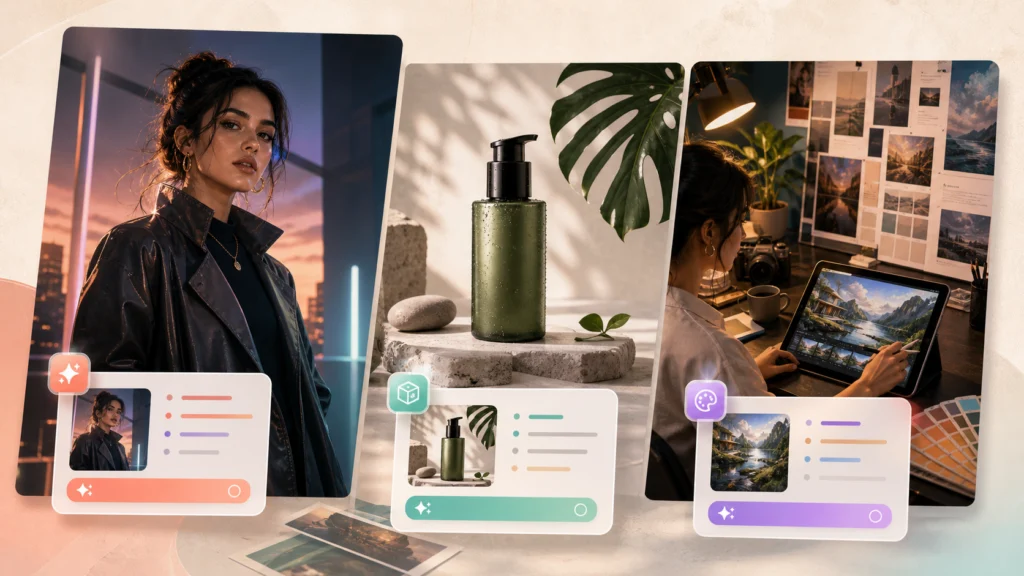
Image to Prompt is the bridge between fast generation and repeatable production. It helps turn a successful image into a prompt that can be edited, shared, reused, and adapted.
In a fast-generation workflow, use Image to Prompt after you find a strong output.
| When to Use Image to Prompt | Why It Helps |
| After a strong draft appears | Captures the visual direction before it gets lost |
| After a reference image performs well | Converts the reference into reusable prompt language |
| Before making campaign variants | Keeps style consistent across outputs |
| Before handing work to a teammate | Makes the visual direction easier to explain |
| Before editing or enhancing | Clarifies what should be preserved |
Linocut's turn generated images into reusable prompts workflow fits this step because it helps users move from a visual result back into prompt structure.
How a Creative Workspace Helps Reuse Text-to-Image Results

Linocut fits the workflow-management side of this trend. Nano Banana 2 Lite can help users generate fast drafts, while the workspace is better positioned around what happens after a strong draft appears: prompt extraction, cleanup, editing, quality control, and campaign reuse.
Product-fit workflow
| Workflow Need | Workspace Fit | Why It Matters |
| Preserve a winning direction | Image to Prompt | Converts a selected image into reusable prompt language |
| Prepare a product asset | Background Remover | Helps clean product backgrounds before reuse |
| Improve weak drafts | Image Enhancer | Adds a quality pass to improve AI-generated image quality |
| Change one part | Inpainting | Lets users edit specific image areas with prompts |
| Build campaign variants | Creative workspace | Keeps source, prompt, edit, and output connected |
This makes Linocut useful for the second half of the AI photo generator workflow: not just generating an image, but turning a useful image into repeatable creative material.
Text-to-Image Prompt Reuse Checklist
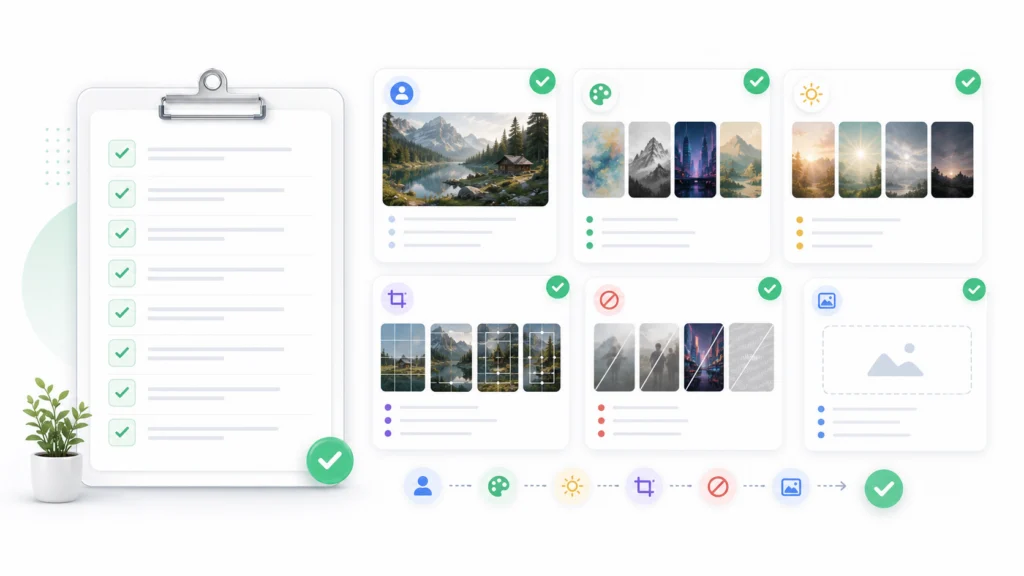
Use this checklist before saving a prompt as reusable.
| Checklist Item | Question |
| Subject clarity | Is the main object or scene clearly defined? |
| Style direction | Does the prompt explain the visual taste? |
| Lighting | Does it specify the light quality? |
| Composition | Does it define framing, crop, or layout? |
| Palette | Does it include useful color guidance? |
| Negative constraints | Does it prevent logos, text, artifacts, or unwanted details? |
| Channel fit | Does it mention where the asset will be used? |
| Reuse note | Can another person understand why this prompt worked? |
The best reusable prompts are not always the longest. They are the clearest. A strong reusable prompt tells the system what to preserve, what to vary, and what to avoid.
Common Mistakes
| Mistake | Why It Hurts | Better Fix |
| Generating too many images without choosing criteria | The workflow becomes noisy | Score images by product clarity, reuse value, and channel fit |
| Saving only the final image | The creative logic disappears | Extract and store the prompt direction |
| Reusing raw prompts without cleanup | Old details may not fit new assets | Rewrite prompts into reusable templates |
| Treating fast drafts as final assets | Speed can hide quality issues | Run cleanup, editing, and enhancement steps |
| Forgetting negative constraints | Reused prompts can repeat visual problems | Save avoid lists with each prompt |
Recommended Workflow
For most teams, the best way to use fast image generation from text is not to generate endlessly. It is to create a repeatable loop.
| Stage | Action | Output |
| Explore | Generate fast drafts | Multiple visual directions |
| Select | Compare by campaign criteria | One or two winning images |
| Extract | Use Image to Prompt | Reusable prompt structure |
| Refine | Clean, edit, or enhance | Production-ready asset |
| Reuse | Apply prompt to new formats | Campaign asset system |
In short, Nano Banana 2 Lite makes the first half of the workflow faster. The next advantage comes from making the second half more organized.
Final Takeaway
The real lesson from Nano Banana 2 Lite is not that prompt writing is dead. It is that AI photo generator workflows need to become more iterative.
A stronger workflow treats every good output as reusable knowledge. Generate quickly, choose carefully, extract the visual logic, clean the prompt, and reuse it across assets. That is how fast generation becomes a creative system instead of a folder of disconnected drafts.
FAQ
Nano Banana 2 Lite makes text to image prompting more iterative. Because users can generate drafts quickly, the workflow shifts from writing one perfect prompt to testing multiple directions, comparing outputs, extracting what worked, and reusing that prompt structure.What is a text to image generator?
A text to image generator turns written prompts into images. In a workflow context, the important question is not only whether the tool can generate a picture from text, but whether the user can compare outputs, preserve prompts, edit results, and reuse the best direction.
How does an AI photo generator workflow change with faster models?
An AI photo generator workflow becomes more iterative when models get faster. Instead of trying to write one perfect prompt, users can test more directions, compare outputs, extract the strongest visual logic, and reuse that prompt structure for future assets.
Text to image starts with written instructions and creates an image. Image to Prompt starts with an image and creates prompt language from it. The two workflows work well together because a strong generated image can become the source for a reusable prompt.Is a free AI image generator enough for campaign work?
A free ai image generator can be useful for quick drafts, but campaign work usually needs more than generation. Teams often need prompt reuse, background cleanup, image enhancement, localized editing, and a way to keep outputs consistent across channels.
What is the best AI image generator workflow?
The best ai image generator workflow is usually not one single tool. It is a loop: generate drafts, compare results, extract the strongest visual direction, clean or edit the image, and reuse the prompt across new campaign assets.
Is Linocut a replacement for Nano Banana 2 Lite?
No. Linocut is better framed as a creative workspace for prompt reuse, image editing, enhancement, and campaign workflows. Nano Banana 2 Lite is useful for fast generation, while the workspace supports organizing and reusing the results.